ally reliable, AIOs have more potential points of failure than air coolers.
The Magic Behind the Flow: How AIOs Dissipate Heat
The “all-in-one” nature of these coolers means they arrive pre-filled, sealed, and ready to install, typically requiring minimal setup. The system operates on a closed-loop principle, circulating a special coolant mixture through a series of key components. Understanding this process demystifies the technology and helps you appreciate its effectiveness.
The core components include a water block (which sits on the CPU), a pump (to circulate the liquid), tubing (to connect everything), a radiator (to dissipate heat), and fans (to push air through the radiator). This integrated design is what makes AIOs so convenient and powerful.
The CPU Block and Pump
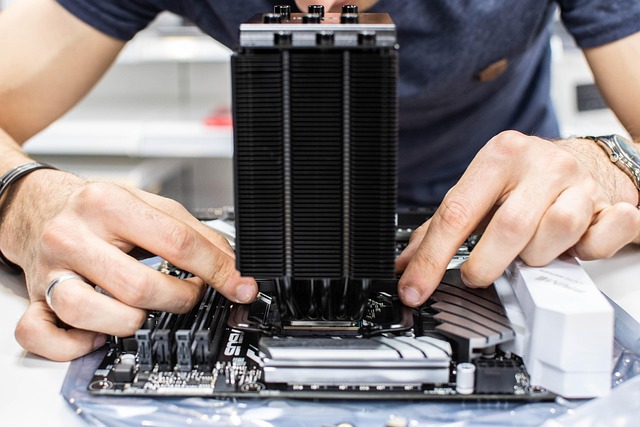
At the heart of the system is the CPU block, which makes direct contact with your processor. Inside this block is a small, integrated pump. When powered on, this pump actively pushes the liquid coolant from the radiator, through the block, and onwards.
The pump is crucial for maintaining consistent coolant flow. Its speed, often adjustable, can impact both cooling performance and noise levels. Newer models as of 2026 often feature quieter, more durable pump designs, sometimes even utilizing magnetic levitation for near-silent operation.
Tubing and Coolant Circulation
Flexible or rigid tubes connect the CPU block to the radiator. These tubes carry the coolant. The liquid absorbs heat from the CPU block and is then pumped away towards the radiator.
The coolant itself is typically a mixture of distilled water and additives to prevent corrosion and microbial growth. High-quality AIOs use materials like ethylene glycol or propylene glycol for their antifreeze properties, ensuring the system can operate even in cooler ambient temperatures without freezing.
The Radiator and Fans
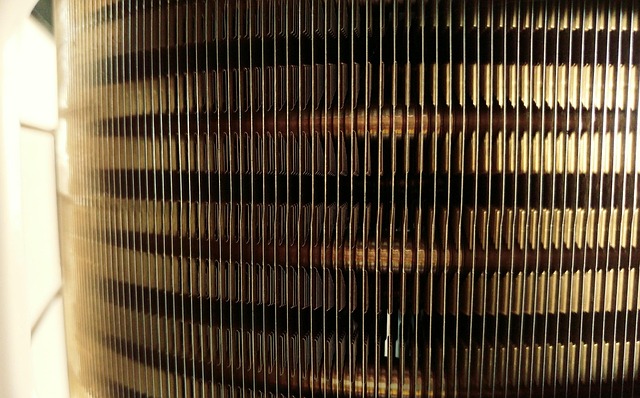
The radiator is a finned metal structure, much like those found in car engines. As the hot liquid flows through the radiator’s channels, the large surface area of the fins allows heat to dissipate into the surrounding air. This is where the heat is actually released from the system.
Mounted to the radiator are one or more fans. These fans draw cooler air from inside your PC case and push it through the radiator fins, dramatically accelerating the heat transfer process. The size and speed of these fans, along with the radiator’s surface area, directly influence the AIO’s cooling capacity.
Heat Dissipation and Return
After passing through the radiator and shedding its heat, the now-cooler liquid is routed back to the CPU block via the tubing, ready to absorb more heat. This continuous cycle is what keeps your CPU from overheating, even under heavy loads like gaming or video editing.
The efficiency of this entire loop—from heat absorption at the CPU to dissipation via the radiator—determines how well the AIO performs. Factors like coolant flow rate, fan speed, and radiator thickness all play a role in its overall effectiveness.
AIO vs. Air Cooling: Which Reigns Supreme?
The age-old debate continues: AIO liquid cooling versus traditional air cooling. Both have their strengths, and the “better” option often depends on your specific needs, budget, and priorities. As of June 2026, AIO technology has narrowed the performance gap significantly, but air coolers still hold some key advantages.
Air coolers use a metal heatsink with numerous fins attached directly to the CPU, with heat pipes transferring heat from the CPU base to the fins. Fans then blow air over these fins to dissipate heat. They are generally simpler, more strong, and often more affordable.
However, AIOs often excel in specific scenarios. For high-end CPUs that generate a lot of heat, a large AIO can provide superior thermal performance, allowing for higher clock speeds and longer boost durations. Additionally, AIOs can offer a cleaner aesthetic by moving the bulk of the cooling hardware away from the CPU socket.
The complexity of an AIO is its main drawback. More components mean more potential failure points, such as pump failure or leaks. Air coolers, while sometimes bulkier and less visually appealing, are generally more reliable due to their simpler design. For users prioritizing absolute reliability and a lower price point, a high-quality air cooler might still be the preferred choice.
For those chasing the absolute best thermal performance for overclocking, or those who simply prefer the sleek, modern look of liquid cooling, an AIO is often the way to go. The decision hinges on balancing performance, aesthetics, price, and reliability.
| Feature | AIO CPU Cooler | Air Cooler |
|---|---|---|
| Performance | Often superior for high-end CPUs and overclocking. | Excellent for most CPUs; high-end models can compete with mid-range AIOs. |
| Noise Levels | Can be quieter at idle; pump noise can be a factor. | Fan noise is primary; generally consistent under load. |
| Aesthetics | Cleaner look, often with RGB lighting. | Can be bulky; some high-end models look impressive. |
| Installation | Requires mounting radiator and fans, plus CPU block. | Simpler; attach heatsink and fan to motherboard. |
| Reliability | More potential failure points (pump, leaks). | Generally very reliable; only fan failure is common. |
| Price | Typically more expensive, especially larger units. | Wider range, often more budget-friendly options. |
Key Factors When Choosing an AIO CPU Cooler
Selecting the perfect AIO cooler for your system involves considering several crucial factors. It’s not just about picking the flashiest model; it’s about ensuring compatibility, adequate performance, and a good balance for your specific needs. As of June 2026, the market offers a vast array of options, from budget-friendly models to enthusiast-grade units with advanced features.
Think about your CPU, your case, and your usage habits. A high-core-count CPU running demanding applications will need a more potent cooling solution than a mid-range processor used for general productivity.
Radiator Size and Fan Configuration
The radiator is the primary heat exchanger. AIOs commonly come with radiators sized for 120mm, 240mm, 280mm, 360mm, or even 420mm fans. A larger radiator offers more surface area, allowing for better heat dissipation and quieter operation at similar cooling loads.
A 120mm AIO might suffice for lower-power CPUs, but for higher-end processors, especially if overclocking, a 240mm or larger radiator is highly recommended. Always check your PC case’s specifications to see which radiator sizes it supports and where they can be mounted (top, front, or rear).
Pump Performance and Noise
The pump is the heart of the AIO. Its quality and design significantly impact cooling efficiency and noise. Cheaper AIOs might use less sophisticated pumps that can become noisy over time or fail prematurely. Premium models often feature advanced pump designs, sometimes with adjustable speeds, for better performance and longevity.
According to TechPowerUp reviews from early 2026, pump noise is becoming a more significant consideration for users seeking silent builds. Look for models that specifically highlight quiet pump operation or offer variable speed control that can be managed via motherboard software. Noctua’s upcoming NL-LC1, for instance, is noted for its silenced Asetek Emma V2 pump, aiming for near-silent operation starting at around $250.
Fan Quality and Airflow
The fans attached to the radiator are responsible for pushing air through its fins. High-quality fans offer a good balance of airflow (CFM – Cubic Feet per Minute) and static pressure (the fan’s ability to push air against resistance, like radiator fins). They also contribute to the overall noise profile of your system.
Reputable brands often equip their AIOs with their own high-performance fans, such as Noctua’s NF-A12x25 or Corsair’s ML series. These fans are designed for both effective cooling and reduced noise, even at higher RPMs. Consider whether you prefer fans optimized for maximum airflow or those focused on static pressure for dense radiator fins.
Socket Compatibility and Mounting
This is non-negotiable: ensure the AIO cooler supports your CPU’s socket type. Modern AIOs typically come with mounting hardware for the latest Intel (e.g., LGA 1700, LGA 1200) and AMD (e.g., AM5, AM4) sockets. Some may also include older socket compatibility.
Checking your motherboard’s specifications is essential. Installation can also vary; some mounting systems are tool-less, while others require screws. Most AIOs include detailed manuals, but it’s wise to watch video guides for your specific model if you’re new to PC building.
Aesthetics and RGB Lighting
For many builders, the visual appeal of their PC is just as important as its performance. Many AIO coolers feature stylish CPU blocks with integrated RGB lighting that can be synchronized with other components. The tubing can also be a design element, with some models offering braided sleeves or even custom-loop-like hard tubing options.
Consider the overall color scheme and lighting setup of your build. Do you want a subtle, clean look, or a vibrant, eye-catching display? Many AIOs offer software control for their RGB lighting, allowing for extensive customization. ASRock, for instance, has teased AIOs with holographic fans at Computex 2026, pushing the boundaries of visual customization.
Installing Your AIO CPU Cooler: A Step-by-Step Overview
Installing an AIO cooler, while straightforward for many, can seem daunting for first-time builders. The process involves mounting the CPU block, attaching the radiator and fans, and connecting the necessary cables. Following these steps carefully will ensure a successful installation and optimal performance.
Always refer to your specific AIO cooler’s manual, as installation procedures can vary slightly between manufacturers and models. This guide provides a general overview of the process.
- Prepare Your Case: Ensure you have adequate space for the radiator and fans. Clean any dust filters and plan the mounting location.
- Install Fans to Radiator: Attach the fans to the radiator using the provided screws. Decide whether you want the fans to push air through the radiator (intake) or pull air from it (exhaust). This depends on your case’s airflow configuration.
- Mount the CPU Block: Apply thermal paste to your CPU (if it’s not pre-applied to the cooler’s block). Then, carefully align the CPU block over the processor and secure it using the appropriate mounting brackets and screws as per your CPU socket type.
- Mount the Radiator Assembly: Secure the radiator and fan assembly to your PC case in your chosen location (e.g., front panel, top exhaust). Ensure it’s firmly attached.
- Connect Cables: Connect the CPU block’s pump power cable to the motherboard’s CPU_PUMP or AIO_PUMP header. Connect the fan cables to the motherboard’s CPU_FAN header or a dedicated fan controller. Connect any RGB cables to the appropriate headers on the motherboard or a controller.
- Final Checks: Double-check all connections and ensure no cables are obstructing the fans. Verify the radiator is securely mounted and that the tubing isn’t kinked.
Troubleshooting Common AIO Cooler Issues
While AIOs are designed for reliability, like any complex piece of hardware, they can sometimes encounter issues. Knowing how to diagnose and fix common problems can save you time and prevent potential damage to your system.
The most common concerns revolve around cooling performance, noise, and the occasional (though rare) leak. Fortunately, most issues have straightforward solutions.
High CPU Temperatures
Problem: Your CPU temperatures are higher than expected, even with the AIO installed.
Solutions:
- Check Thermal Paste: Ensure an adequate amount of thermal paste was applied correctly between the CPU and the cooler block. Reapply if necessary.
- Verify Mounting Pressure: Make sure the CPU block is securely mounted with even pressure across the CPU.
- Radiator Airflow: Confirm that the fans are pushing air through the radiator effectively and that the radiator isn’t clogged with dust. Check fan orientation (intake vs. Exhaust).
- Pump Functionality: Listen for the pump. If you hear no noise or a grinding sound, the pump may have failed. Check its connection to the motherboard.
Unusual Noise
Problem: You’re hearing strange noises like gurgling, buzzing, or grinding from the AIO.
Solutions:
- Gurgling/Bubbling: This often indicates air in the loop. Try tilting the case gently in different directions to help trapped air move towards the radiator. If it persists, it might indicate a pump issue or an AIO that wasn’t properly bled during manufacturing.
- Buzzing/Grinding: This is commonly a sign of pump failure or a fan hitting a cable. Check all fan connections and ensure cables are clear. If the pump is the source, it may need replacement.
Leaks
Problem: You notice coolant leaking from the AIO cooler.
Solutions:
- Immediate Action: If you discover a leak, power off your PC immediately! Disconnect the power supply and carefully remove the AIO. Clean up any spilled liquid thoroughly.
- Warranty Claim: Most reputable AIO manufacturers offer warranties that cover damage caused by leaks. Contact customer support for assistance and potential replacement. While rare, leaks are the most serious potential issue with AIOs, highlighting the importance of choosing quality components.
Maximizing Your AIO Cooler’s Lifespan
AIO coolers, while largely maintenance-free, benefit from occasional checks to ensure they perform optimally for years to come. Understanding their typical lifespan and what contributes to it can help you get the most out of your investment.
The lifespan of an AIO cooler is generally considered to be between 3 to 6 years, though many can last longer with proper care. The primary limiting factor is often the pump, which can degrade over time.
Regular Dusting
The most crucial maintenance task is keeping the radiator and fans clean. Dust accumulation insulates the fins, reducing heat dissipation and forcing fans to work harder, which can shorten their lifespan and increase noise. Periodically (every few months, depending on your environment) use compressed air to blow dust out of the radiator fins and off the fans.
Checking Connections
While less frequent, it’s good practice to occasionally check that all cables (pump power, fan power, RGB) are securely connected. Loose connections can lead to performance issues or unexpected shutdowns.
Monitoring Temperatures
Keep an eye on your CPU temperatures, especially after installing or making changes to your system. A sudden, unexplained rise in temperatures can be an early indicator of a problem with the AIO, such as pump failure or reduced coolant flow.
As of June 2026, most motherboards and AIO control software offer strong temperature monitoring tools, making this easy to track. For example, the new Noctua NL-LC1 coolers, expected to launch mid-June 2026, come with proprietary noise-absorber technology and are anticipated to offer high reliability and longevity, with pricing starting around €219.90.
Frequently Asked Questions about AIO CPU Coolers
What is the main advantage of an AIO cooler?
The primary advantage of an AIO CPU cooler is its superior heat dissipation capability compared to most air coolers, especially for high-performance CPUs. They also offer a cleaner, more modern aesthetic inside a PC case by moving bulky components away from the CPU socket.
Are AIO coolers noisy?
AIO coolers can be very quiet, especially at idle. However, pump noise can be a factor in some models. Fan noise depends on the quality and speed of the fans attached to the radiator. High-end AIOs released in 2026 are significantly quieter than earlier generations.
Do AIO coolers ever leak?
Leaks from AIO CPU coolers are rare but possible. Reputable manufacturers use strong sealing and testing processes. However, any liquid cooling system carries a small risk, which is why choosing a trusted brand with a good warranty is important.
How long do AIO coolers typically last?
Most AIO coolers have a lifespan of 3 to 6 years. The pump is often the component that fails first. Regular maintenance, such as keeping the radiator clean, can help extend the cooler’s operational life.
Can I use an AIO cooler with any CPU?
You can use an AIO cooler with most modern CPUs, provided the cooler’s mounting hardware supports your specific CPU socket (e.g., Intel LGA 1700, AMD AM5). Always check the cooler’s specifications for socket compatibility before purchasing.
What size AIO do I need?
The required AIO size depends on your CPU’s heat output and your PC case’s radiator support. For most mainstream CPUs, a 240mm AIO is sufficient. For high-end CPUs and overclocking, a 280mm or 360mm radiator is recommended. Check your case’s specifications for supported radiator sizes.
The Verdict: Is an AIO CPU Cooler Right for You?
As we’ve explored, AIO CPU coolers have matured into highly effective and aesthetically pleasing cooling solutions. They offer a tangible performance boost over many air coolers, particularly for demanding tasks and high-end processors, while also contributing to a cleaner PC build. The advancements in pump technology and fan design in 2026 mean that noise is less of a concern than it once was, with many models offering near-silent operation.
While they come with a higher price tag and a slightly increased complexity compared to air coolers, the benefits of enhanced thermal performance, potential for overclocking, and a sleek visual appeal often outweigh these considerations for enthusiasts and gamers. Carefully assess your needs, budget, and PC case compatibility, and you’ll find an AIO cooler that can significantly elevate your system’s performance and look.
Source: Britannica