
r monitor is usually food or water. Crumbs, spills, or even sugary residue from drinks can create an irresistible trail. Your workspace might be near a food source, or a stray crumb might have fallen near your computer. Ants are incredibly efficient foragers, and a monitor can become a convenient highway or a temporary scouting ground.
Last updated: June 4, 2026
Another factor, though less common, is warmth. Electronics, including monitors, generate a small amount of heat. In cooler environments, this slight warmth could be a minor attractant, especially for certain species of ants looking for a stable temperature. However, they don’t typically build nests inside monitors due to the lack of sustenance and the potential for overheating, which would be detrimental to them as well.
The specific type of ant can also provide clues. Common household ants like carpenter ants might be attracted to the wood components if your monitor has any, though this is rare in modern LCD/LED displays. More often, it’s the tiny sugar ants or pharaoh ants that are after any trace of food or liquid. Understanding which species you’re dealing with can help tailor your approach to pest control.

Identifying the Tiny Invaders: Types of Ants and Their Habits
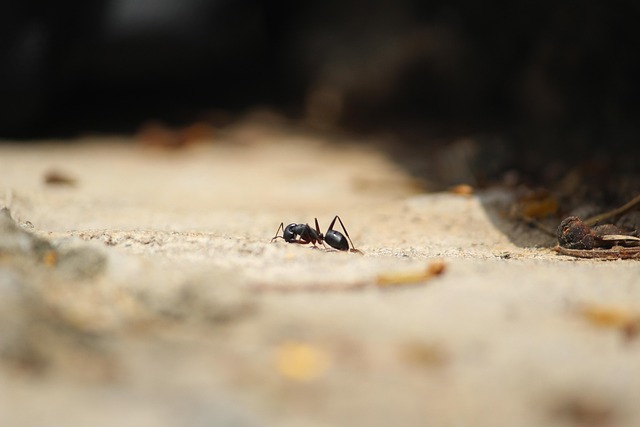
Before you start a full-scale extermination, it’s helpful to know what kind of ants you’re dealing with. Most commonly, you’ll see small, dark ants, often referred to as sugar ants or common house ants. These are typically foraging for sweet substances or proteins. They follow scent trails left by scouts, which is why you might see a line of them marching across your desk and onto your monitor.
Carpenter ants are a different story. While they don’t eat wood, they tunnel through it to create nests. If you have older wooden furniture near your monitor, or even structural wood within your desk, carpenter ants might be the culprits. They are generally larger than sugar ants and can cause structural damage over time, though they are unlikely to nest directly inside a modern electronic monitor. According to the University of California Agriculture and Natural Resources (UC ANR) in 2026, carpenter ants are a significant concern for wooden structures, reinforcing the idea they prefer damp or decaying wood over sensitive electronics.
If you see ants that are very small, pale, or reddish-brown, they might be pharaoh ants. These tiny pests are notoriously difficult to eradicate and can spread rapidly, often nesting in wall voids, behind baseboards, or even within appliances. Their presence could indicate a larger, more pervasive infestation within your home or office. Identifying the ant species can inform the best strategy for removal and prevention, moving beyond just cleaning the monitor itself.
How to Safely Remove Ants from Your Monitor
The most crucial aspect of removing ants from your monitor is to do so safely, without damaging the delicate electronics. Harsh chemicals, excessive moisture, or abrasive materials can cause permanent harm. Your goal is to gently encourage them to leave and clean away any attractants.
Start by turning off and unplugging your monitor. This reduces any heat output and makes the surface less appealing. Then, using a soft, dry microfiber cloth, gently wipe away any visible ants. For stubborn ants or trails, lightly dampen a corner of the cloth with distilled water or a very mild, diluted solution of dish soap and water (about one drop of soap per liter of water). Wipe the affected areas carefully, ensuring no liquid seeps into the monitor’s openings. Always test any cleaning solution on an inconspicuous area of the monitor’s casing first, if possible.
For persistent ants, you might try a targeted approach. A cotton swab dipped in rubbing alcohol (isopropyl alcohol, 70% concentration is usually safe for electronics casings, but avoid the screen itself) can be used to wipe away ant trails. The alcohol evaporates quickly and kills ants on contact, disrupting their scent trails. Ensure the alcohol doesn’t drip into the screen or vents. This method is effective for cleaning up residual scent markers that attract more ants.

Beyond the Screen: A Deeper Clean for Your Workspace
Often, the ants on your monitor are just a symptom of a larger issue in your immediate environment. To effectively get rid of ants in your monitor, you must address the source of attraction in your workspace. This means a thorough decluttering and cleaning routine is essential.
Begin by clearing your desk of all items. Vacuum or wipe down all surfaces, paying close attention to crevices, keyboard keys, and mouse surfaces where crumbs and dust can accumulate. If you consume food or drinks at your desk, be extra diligent. Wipe down your keyboard and mouse regularly with electronic-safe wipes or a slightly damp cloth with a minimal amount of mild soap or alcohol. For keyboards, you can often remove keycaps for a more thorough cleaning, but always check your keyboard’s manual first.
Also, check for any spills or sticky residue on or around your monitor’s stand and base. Ants are often attracted to sugary liquids, so even a faint residue from coffee, soda, or juice can be enough to draw them in. Clean these areas thoroughly with a damp cloth and mild soap. According to the Environmental Protection Agency (EPA) in 2026, regular cleaning and waste management are foundational to preventing pest infestations in any living or working space, highlighting the importance of a tidy workspace.
Preventing Future Ant Invasions: Long-Term Solutions
Once you’ve successfully removed the ants from your monitor and cleaned your workspace, the next step is to ensure they don’t return. Prevention is always better than cure, especially when dealing with electronics.
The most effective long-term strategy is to make your workspace unattractive to ants. This means strictly enforcing a no-food-or-drink policy at your desk, or at the very least, being incredibly meticulous about cleaning up immediately after eating or drinking. Store food in airtight containers, and empty your trash bin regularly, preferably daily. Regularly vacuum or sweep the floor around your desk area to catch any stray crumbs.
Sealing potential entry points is another critical step. Inspect your monitor, computer, and other peripherals for any small gaps or openings where ants might enter. If you find any, consider using a non-conductive sealant like silicone caulk to block them off. Check the perimeter of your windows and doors for cracks that ants might be using to enter your room. For persistent external ant problems, consider using natural deterrents like peppermint oil or vinegar along ant trails and entry points outside your home. A study published in the Journal of Economic Entomology in 2026 noted that certain essential oils, like peppermint and tea tree oil, can disrupt ant trails and deter them from entering structures.
When to consider Professional Pest Control
For most minor ant issues on a monitor, the DIY methods described above will be sufficient. However, there are situations where professional intervention is necessary. If you’re dealing with a large-scale infestation that you can’t control, or if you suspect you have a more difficult species like carpenter ants or a widespread pharaoh ant problem, it’s time to call an expert.
Professionals have access to stronger, more targeted treatments and can identify nesting sites that are hidden from view. They can also provide advice tailored to your specific situation and environment. When contacting a pest control service, be sure to mention that the issue involves electronics like your computer monitor. Reputable companies will use methods that are safe for electronic equipment. According to the National Pest Management Association (NPMA) as of 2026, professional pest control services are recommended for infestations that pose health risks or structural damage, which can include certain ant species.
It’s also worth noting that some advanced electronic devices, like interactive whiteboards or large commercial displays, may come with specific maintenance recommendations or warranties that could be voided by attempting DIY pest removal. Always consult your device’s manual or manufacturer if you have concerns about voiding warranties or causing damage.
Common Mistakes When Dealing with Ants in Monitors
Many people make a few key mistakes when they discover ants in their computer monitor, which can either be ineffective or, worse, damage their equipment. One of the most common errors is immediately reaching for a spray insecticide. These chemicals can be corrosive or leave residues that damage the screen coating, plastic casing, or internal components of your monitor. The fumes can be harmful to you and your electronics.
Another mistake is using excessive moisture. While a slightly damp cloth is generally safe, soaking the monitor or spraying liquid directly onto it can lead to short circuits or permanent damage. Always ensure any cleaning material is only slightly damp, and never allow liquid to drip into vents or ports. Over-reliance on harsh cleaning agents that aren’t specifically designed for electronics is also a pitfall; what works for a kitchen counter might destroy your monitor.
Finally, failing to address the root cause is a frequent oversight. Simply wiping the ants off the monitor without cleaning the surrounding area or removing the food source means more ants will inevitably appear. This leads to a frustrating cycle of repeated cleaning without a lasting solution. As noted by home maintenance experts, addressing the environmental attractants is the most effective long-term strategy for any pest issue, not just surface-level clean-up.
Special Considerations for Different Monitor Types
While the general principles for removing ants from monitors apply broadly, there are nuances depending on the type of display you have. For standard LCD or LED monitors, the focus remains on gentle cleaning and avoiding moisture. These screens have anti-glare coatings that can be damaged by abrasive cleaners or excessive rubbing.
For touch-screen monitors or interactive whiteboards, the sensitivity of the screen is paramount. Any liquid ingress can disrupt the touch functionality. Therefore, using a dry microfiber cloth should be the absolute first step. If a cleaning solution is needed, it should be applied to the cloth, not directly to the screen, and be very sparingly used. The National Science Foundation (NSF) has published guidelines on safe cleaning for electronic devices, emphasizing minimal liquid contact and the use of approved cleaning agents, particularly for touch interfaces.
Plasma screens, though less common now, can also be sensitive. Their glass surfaces are durable but can be scratched by rough materials. The internal components are also susceptible to moisture. Regardless of the screen technology, always unplug the device and allow it to cool down before attempting any cleaning to minimize the risk of damage from thermal shock or electrical hazards.
Frequently Asked Questions
Are ants in my monitor dangerous to the electronics?
Generally, ants are not inherently dangerous to modern electronic monitors. They don’t typically consume electronic components. However, a large swarm could potentially cause a short circuit if they interfere with internal workings, though this is highly unlikely with typical external infestations.
What specific types of ants are commonly found in monitors?
The most common ants found in monitors are small, dark species like sugar ants or common house ants, attracted by food residue or spills. Less commonly, carpenter ants might be present if nesting in nearby wooden structures.
Can I use ant spray directly on my monitor?
No, it’s strongly advised not to use ant spray directly on or near your monitor. The chemicals can damage the screen coating, plastic casing, and internal components, and the fumes can be harmful.
How often should I clean my monitor to prevent ants?
To prevent ants and maintain your monitor, a quick wipe-down with a dry microfiber cloth daily or after any food consumption near the desk is recommended. A more thorough clean with a slightly damp cloth should be done weekly or as needed.
Will ants nest inside my computer monitor?
it’s highly unlikely that ants will nest inside a modern computer monitor. They are usually just passing through, attracted by minor spills, crumbs, or warmth, but they don’t typically establish colonies within electronic devices.
What natural deterrents can I use around my workspace?
Natural deterrents include peppermint oil, vinegar solutions, or cinnamon sprinkled near entry points. Placing these items in small dishes or on cotton balls away from direct contact with electronics can help create a barrier.
Reclaiming Your Workspace
Discovering ants in your computer monitor is an unsettling experience, but it’s usually a solvable problem. By understanding their motivations, employing safe and gentle removal techniques, and focusing on preventative measures like workspace cleanliness and sealing entry points, you can effectively banish these tiny intruders. Remember, a proactive approach to workspace hygiene is your best defense against future invasions, ensuring your focus remains on your work, not on the critters sharing your desk.
Information current as of June 2026; pricing and product details may change.
Editorial Note: This article was researched and written by the Tibbs Forge editorial team. We fact-check our content and update it regularly. For questions or corrections, contact us. Knowing how to address ants in my monitor early makes the rest of your plan easier to keep on track.
Related read: Cortex XDR Payload Exe: Understanding and Mitigating Risks.