Intelligent Frame Creation is a video processing technology that analyzes adjacent video frames and calculates intermediate images to smooth out visual motion. By generating synthesized frames between original video sources, it eliminates camera judder and reduces motion blur during fast-paced playback on modern displays.
How does Intelligent Frame Creation synthesize video frames?
When video content is recorded at traditional frame rates—such as 24 frames per second (fps) for movies or 30fps for standard television—each individual frame represents a static snapshot separated by a temporal gap. On modern flat-panel displays operating at refresh rates of 60Hz, 120Hz, or 240Hz, the screen must display each source frame multiple times to fill the panel’s timing sequence. This sample-and-hold display method keeps individual image frames static on screen while your eyes scan across the display, creating perceived visual judder and motion blur during camera pans.
Intelligent Frame Creation (IFC) addresses this temporal gap through real-time motion interpolation. Instead of repeating identical frames, the display processor analyzes two consecutive incoming images, predicts where moving objects should be at intermediate timestamps, and synthesizes entirely new frames to insert into the video stream.
Display processors execute this processing through motion vector estimation. The hardware divides each frame into pixel blocks and tracks how those blocks shift position between Frame A and Frame B. By calculating speed, vector heading, and pixel density, the system calculates an intermediate image frame. In 2026, display processors use specialized hardware chips to handle scene detection, occlusion boundaries, and lighting transitions across raw video data in real time.
The mathematics of motion vector estimation
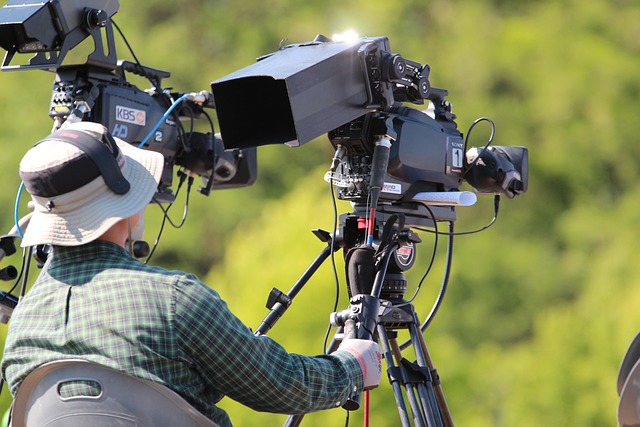
Motion vector calculation requires the display hardware to distinguish between camera movement and individual object movement within a scene. When a camera pans across a stadium, the background shifts uniformly across the screen frame. When an object—such as a soccer ball or running athlete—moves independently against that moving background, the display processor must calculate two conflicting sets of motion vectors simultaneously.
If the processor calculates these vectors correctly, the output image transitions fluidly between original frames. If the calculation encounters complex overlapping patterns, such as water droplets, fine mesh nets, or smoke, the mathematical model breaks down. The processor must then decide whether to guess pixel placement, duplicate pixels from adjacent frames, or disable frame generation for that specific pixel block until the motion stabilizes.
How TV brands implement motion smoothing settings
While “Intelligent Frame Creation” is specifically Panasonic’s brand name for motion interpolation, every major display manufacturer implements a similar processing engine under its own proprietary technology stack. Understanding how each brand labels and structures these settings helps you tune performance for your specific panel.
| Manufacturer | Feature Name | Core Processing Focus | User Adjustments |
|---|---|---|---|
| Panasonic | Intelligent Frame Creation (IFC) | Motion vector interpolation with predictive cadence matching | Off, Min, Mid, Max, Custom |
| Samsung | Motion Xcelerator / Auto Motion Plus | Neural Quantum frame processing with backlight control | Blur Reduction (0–10), Judder Reduction (0–10), LED Clear Motion |
| LG | TruMotion | Alpha processor motion tracking with de-judder algorithms | Off, Cinematic Movement, Natural, Smooth, User (De-Judder 0–10, De-Blur 0–10) |
| Sony | Motionflow XR | Cognitive Processor XR dual-database frame insertion and strobing | Off, Smooth, Standard, Clear, True Cinema, Custom (Smoothness 0–3, Clearness 0–3) |
Modern television software decouples low frame rate processing from high frame rate processing using two separate adjustments:
- De-Judder (or Smoothness): Targets low frame rate sources (24fps movies, 25fps/30fps streaming video). Adjusting this value determines how aggressively the display generates new intermediate frames to remove camera panning stutter.
- De-Blur (or Clearness): Targets high frame rate sources (50fps/60fps broadcasts). Adjusting this slider alters processing intensity to keep high-speed object boundaries crisp without changing the underlying temporal cadence.
What are the main benefits of Intelligent Frame Creation?
The primary advantage of frame generation on displays is the dramatic reduction of motion blur and judder during visual playback. Standard sample-and-hold display panels retain static images for the full duration of a refresh cycle, causing human visual perception to blur moving edges as your eye moves across the screen.
When viewing high-speed sports broadcasts like hockey, football, motor racing, or tennis, frame interpolation keeps fast-moving balls, pucks, player jerseys, and tracking cameras sharply defined. Instead of seeing a streaking blur across the screen, motion appears crisp and legible.
For viewers watching content on modern OLED screens, frame creation helps soften the harsh visual stutter caused by instant pixel response times. Because OLED pixels switch states in under 1 millisecond, 24fps cinema content can exhibit a jarring stutter effect during bright, wide camera pans. Applying low levels of frame interpolation cushions these transitions without completely introducing the artificial appearance of high frame rate video.
In video games featuring real-time visual movement or fast action, such as virtual combat, frame creation can make slow camera swings appear smoother on screen, though the added input lag requires careful consideration depending on the game genre.
What visual artifacts and problems does frame creation cause?
Despite its visual advantages, Intelligent Frame Creation introduces noticeable image distortions when algorithm processing fails to predict object motion accurately.
The Soap Opera Effect and cinematic pacing
The most widely criticized aspect of frame creation is the Soap Opera Effect (SOE). Feature films and narrative television shows are intentionally shot at 24 frames per second. This frame rate creates a distinct motion blur profile that audiences subconsciously associate with cinematic art. When a display interpolates 24fps film content up to 60fps or 120fps, the hyper-smooth motion mimics the look of low-budget videotape, live studio news, or broadcast soap operas. This strips away the intended atmosphere and visual weight crafted by directors and cinematographers.
Visual motion artifacts
When motion vector algorithms fail, they generate visible digital distortions across the image:
- Haloing and Ghosting: Faint translucent outlines or pixel smears that form around fast-moving foreground objects as they pass over detailed background patterns.
- Edge Warping and Geometry Tearing: Distortions where straight edges, fine lines, or object boundaries bend or tear momentarily as predictive algorithms miscalculate velocity vectors.
- Macroblocking and Texture Corruption: Temporary loss of image texture and blocky compression artifacts appearing around rotating or intersecting objects.
- Temporal Frame Dropping: Momentary stutters or hitches occurring when the display processor cannot finish rendering an interpolated frame within its dedicated hardware timing window, causing the screen to drop back to raw source frames unexpectedly.
Processing latency and gaming input lag
To interpolate frames, a display’s picture engine must buffer incoming frames in display memory. The processor holds Frame A, waits for Frame B to arrive, calculates synthesized Frame C between them, and then outputs the sequence to the screen panel.
This buffering process introduces input lag—often adding between 30 and 100 milliseconds of latency to the signal pathway. In competitive gaming, high input latency creates a noticeable disconnect between controller input and on-screen action, making real-time reaction impossible.
How does frame creation compare to other motion technologies?
To evaluate motion performance, it is helpful to distinguish Intelligent Frame Creation from complementary display technologies.

| Technology | Operating Principle | Primary Motion Benefit | Input Lag Impact | Main Trade-Off |
|---|---|---|---|---|
| Intelligent Frame Creation (TV) | Display processor interpolates synthesized intermediate frames | Smoothes panning judder and low frame rate stutter | High (+30ms to +100ms delay) | Soap opera effect, motion haloing, edge warping |
| Black Frame Insertion (BFI) | Inserts black frames or pulses backlight between refreshes | Clears visual motion persistence without altering source frame rate | Minimal (+1ms to +4ms delay) | Reduces total screen brightness, causes flicker sensitivity |
| Variable Refresh Rate (VRR) | Synchronizes panel refresh rate to source render output | Eliminates screen tearing and frame pacing stutter in gaming | Zero added latency | Requires compatible source device; no effect on fixed video streams |
| Native Panel Refresh Rate | Physical hardware refreshes pixels at 120Hz or 240Hz | Displays native source frames with high temporal accuracy | Zero added latency | Does not fix judder in low frame rate (24fps) source video |
Understanding display response times and panel motion handling provides a foundational visual upgrade when configuring your entertainment setup. For detailed insight on panel specifications, see 2.5-Inch SATA SSDs: The Affordable Speed Upgrade for display calibration techniques.
Graphics processing units in modern computers offer source-level frame generation (such as NVIDIA DLSS Frame Generation or AMD FSR Fluid Motion Frames). GPU frame generation executes within the game render pipeline, utilizing motion vectors, depth buffers, and optical flow data generated directly by the 3D graphics engine before sending the video signal to the monitor. Because the graphics processor has access to precise depth geometry and game engine vectors, GPU frame generation produces far fewer visual artifacts and operates at much lower input latency than display-side TV interpolation.
Step-by-step guide to configuring frame smoothing settings
Follow these steps to optimize motion processing on your display for different types of viewing material:
- Access picture processing settings: Open your display menu using your remote control and navigate to Picture Settings, Clarity, or Expert Controls.
- Locate motion control submenus: Find the motion setting labelled TruMotion, Motionflow, Motion Xcelerator, or Intelligent Frame Creation.
- Switch preset modes to Custom: Disable default automated modes like “Smooth,” “Standard,” or “Vivid,” which apply maximum interpolation globally across all inputs.
- Adjust De-Judder for movie viewing: Set the De-Judder (or Smoothness) slider between 0 and 2. This retains original 24fps movie cadence while preventing severe OLED motion stutter.
- Adjust De-Blur for sports broadcasts: Set the De-Blur (or Clearness) slider between 5 and 8 when watching 60fps sporting events to sharpen fast motion vectors.
- Enable Filmmaker Mode for cinema content: Switch your display input to Filmmaker Mode or Cinema Mode when watching movies. This feature automatically disables frame creation algorithms to present content exactly as colorists and directors rendered it.
- Activate Game Mode for console and PC gaming: When connecting gaming hardware, enable Game Mode or Auto Low Latency Mode (ALLM). This completely bypasses display motion interpolation to eliminate input processing delay.
When should you enable or disable frame creation?
Use this decision rule framework to decide when frame creation improves your view and when it should be turned off completely:
- Feature Films and Narrative Movies (24fps): Disable or set De-Judder to 0–2. Motion interpolation destroys filmic motion cadence and creates the artificial Soap Opera Effect.
- Live Sports Broadcasts (50fps/60fps): Enable (De-Blur 5–8, De-Judder 0–3). Sharpens motion trajectories for fast-moving balls, pucks, and players during wide camera sweeps.
- TV News, Reality Shows & Talk Shows (60i/60fps): Optional / Low setting. Smoothes out camera panning without affecting narrative artistic choices.
- Console and PC Video Gaming: Disable Display IFC. Display frame interpolation adds unacceptable input lag. Use GPU-level frame generation (DLSS/FSR) or native high refresh rates instead.
- Animated Movies & Anime (12fps/24fps): Disable. Interpolation algorithms misinterpret hand-drawn or stepped-animation keyframes, creating severe visual distortion and unnatural character movement.
Common motion smoothing mistakes and how to fix them
- Mistake 1: Leaving default motion presets active across all HDMI inputs. Modern TVs ship with default modes like “Standard” or “Vivid” that apply aggressive motion smoothing to everything. Fix: Configure picture settings independently for each HDMI source and streaming app.
- Mistake 2: Confusing display panel refresh rate (Hz) with motion interpolation. Operating a display at 120Hz native refresh rate does not force 24fps movies into 120fps motion unless frame creation is turned on. Fix: Keep your panel at 120Hz for fast pixel updates while leaving De-Judder set to 0.
- Mistake 3: Enabling display motion smoothing during interactive gaming. Display frame synthesis adds 30ms to 100ms of input delay. Fix: Always turn on Game Mode or ALLM on your display when playing video games.
- Mistake 4: Relying on frame creation to clean up heavily compressed streaming signals. Low-bitrate streaming video contains compression artifacts and pixel macroblocking that motion algorithms misidentify as moving objects, magnifying visual noise. Fix: Improve source bandwidth or lower motion smoothing intensity on low-bitrate streams.
Frequently asked questions
What is the main purpose of Intelligent Frame Creation?
Intelligent Frame Creation generates and inserts synthetic intermediate frames between original video frames to reduce motion blur and visual judder. This creates smoother playback for fast-moving video content on high-refresh-rate displays.
Does Intelligent Frame Creation increase display input lag?
Yes, display-side frame creation significantly increases input lag by 30 to 100 milliseconds because the processing engine must buffer multiple frames in memory to calculate motion vectors. Because of this added latency, frame creation should be disabled during interactive video gaming.
Why do movies look unnatural when frame creation is enabled?
Movies are filmed at 24 frames per second to establish a specific cinematic cadence and motion blur pattern. Frame creation synthesizes additional frames to artificially push playback to 60fps or 120fps, producing the hyper-smooth “Soap Opera Effect” that strips away the intended film appearance.
How does TV frame creation differ from GPU frame generation?
TV frame creation analyzes flat 2D video pixel signals inside the display hardware, which adds latency and introduces visual haloing. GPU frame generation (such as NVIDIA DLSS or AMD FSR) operates inside the PC gaming engine using 3D depth buffers and render vectors, producing cleaner frames with significantly lower latency.
Can frame creation fix low resolution or poor streaming quality?
No, frame creation only affects motion continuity and frame rate gaps. It does not improve spatial image resolution, clear up compression artifacts, or enhance low-bitrate video signals.
Sources: Concepts in frame analysis draw from display processing models and algorithmic structural patterns studied in signal processing and computational motion field theory, including foundational topics in Intelligent design and display engineering archives at Britannica.