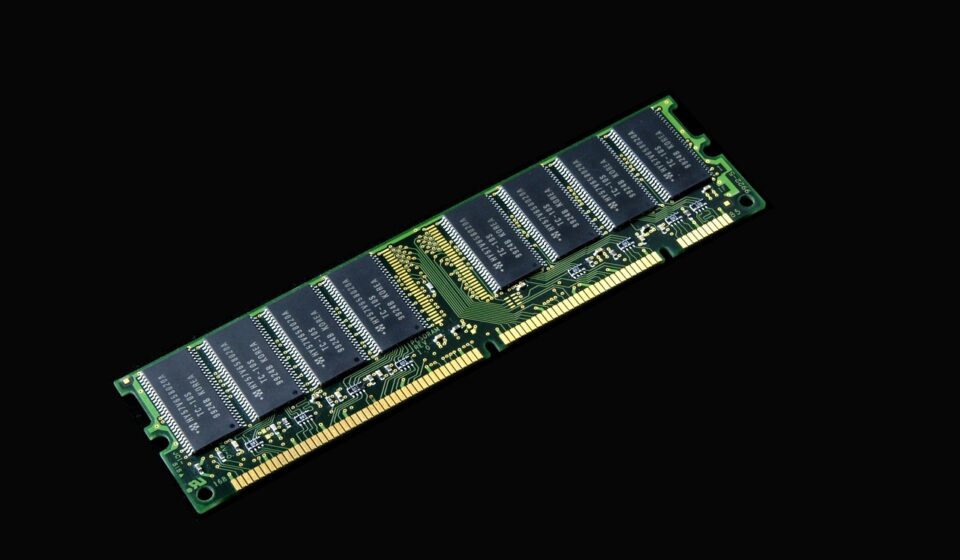
The best RAM for gaming is a 32GB dual-channel DDR5 setup running at 6000MHz with CL30 latency, which delivers the optimal balance of bandwidth and responsiveness for modern CPUs. For budget systems staying on DDR4, 32GB of DDR4-3600 CL16 provides the best value without performance bottlenecks.
Sufficient capacity and low memory latency ensure your system quickly transfers environmental geometry, textures, and assets to the processor, preventing frame rate drops and micro-stutters during heavy gameplay scenes.
The rest of this article explores memory capacity requirements, true latency formulas, DDR4 versus DDR5 features, platform compatibility checks, BIOS XMP and EXPO setup steps, and top RAM kit recommendations across different budgets.
Best RAM for Gaming: Speed, Capacity, and Value
For gaming in 2026, the best RAM setup is 32GB of dual-channel DDR5 running at 6000MHz with CL30 latency, which delivers the optimal balance of bandwidth and responsiveness for modern CPUs. If you are building a budget system or staying on DDR4, 32GB of DDR4-3600 CL16 offers the best value without performance bottlenecks.
Random Access Memory (RAM) serves as your system’s temporary workspace. When you launch a game, the processor transfers essential files—including environmental geometry, high-resolution textures, audio assets, and player models—from your storage drive into RAM. Because system memory communicates with your CPU at speeds significantly faster than any solid-state drive (SSD), having sufficient capacity and low memory latency prevents frame rate drops and micro-stutters during heavy gameplay scenes.
How much RAM do you actually need for gaming?
Memory capacity determines how many assets your system can hold in immediate memory before falling back on secondary storage. Choosing the right capacity prevents game stutters without wasting budget that could be spent on a faster graphics card or processor.
While 8GB was once standard, modern gaming engines and operating systems quickly exceed this limit. Running games on 8GB forces Windows to use virtual memory on your drive through a process called paging. Because even fast NVMe SSDs are much slower than system memory, paging causes severe micro-stutters, texture popping, and sudden frame drops.
For a baseline gaming PC, 16GB (configured as two 8GB modules) handles esports titles such as Counter-Strike 2, Valorant, and Rocket League smoothly. However, 16GB leaves minimal headroom if you keep web browsers, Discord, or voice chat applications open in the background while playing demanding games.
For modern titles, 32GB (configured as two 16GB modules) is the recommended sweet spot. Blockbuster titles regularly allocate over 16GB of system memory when running at high resolutions with ultra settings or ray tracing. Having 32GB ensures smooth frame delivery and allows multitasking without closing background applications.
Installing 64GB (configured as two 32GB modules) is unnecessary for pure gaming builds. Extra memory beyond what a game uses sits idle and offers zero performance improvement. However, 64GB is valuable if you play flight simulators with custom scenery, heavily modded sandbox titles, or use your PC for 4K video editing and 3D animation alongside gaming.
Understanding RAM speed and latency: MHz, MT/s, and CAS Latency
Memory performance relies on two connected specifications: speed and latency. Speed refers to data transfer rates, measured in Megatransfers per second (MT/s) or Megahertz (MHz). Higher transfer rates allow more data to pass between the memory modules and the CPU each second.
Latency measures the delay between a CPU command and the memory module’s response. This is listed as CAS Latency (CL). A lower CL rating means fewer clock cycles of delay before data transfer begins. Because speed and latency scale together, evaluating a memory kit requires calculating its true latency in nanoseconds using the formula:
True Latency (nanoseconds) = (CAS Latency ÷ Speed in MHz) × 2000
Understanding true latency explains why higher speed kits with higher CL numbers often yield equal or lower delay times than older, slower kits:
- DDR4-3200 CL16: (16 ÷ 3200) × 2000 = 10.00 nanoseconds
- DDR4-3600 CL18: (18 ÷ 3600) × 2000 = 10.00 nanoseconds
- DDR4-3600 CL16: (16 ÷ 3600) × 2000 = 8.88 nanoseconds
- DDR5-5600 CL36: (36 ÷ 5600) × 2000 = 12.85 nanoseconds
- DDR5-6000 CL30: (30 ÷ 6000) × 2000 = 10.00 nanoseconds
- DDR5-6400 CL32: (32 ÷ 6400) × 2000 = 10.00 nanoseconds
- DDR5-7200 CL34: (34 ÷ 7200) × 2000 = 9.44 nanoseconds
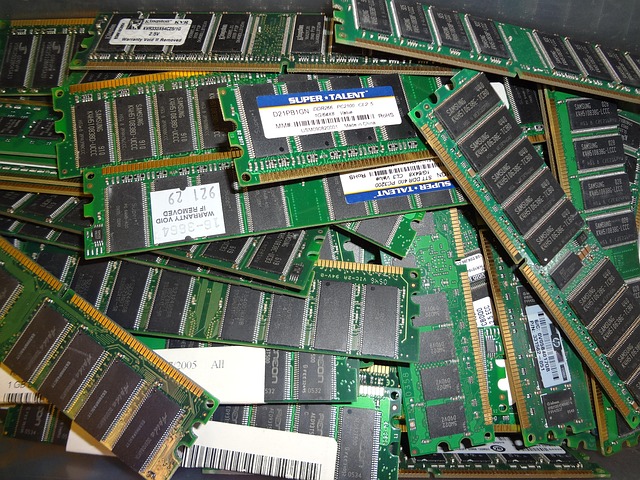
DDR4 vs DDR5: Which memory standard should you choose?
DDR5 represents a major structural redesign over DDR4. DDR5 modules split each stick into two independent 32-bit subchannels, doubling concurrent memory access efficiency. DDR5 also moves power management directly onto the DIMM via an onboard Power Management IC (PMIC), allowing cleaner voltage control independent of the motherboard.
While DDR4 maxes out around 3600MHz to 4000MHz in common gaming builds, DDR5 starts at 4800MHz and scales beyond 7200MHz. DDR5 also incorporates on-die Error-Correcting Code (ECC) to catch internal bit errors before data leaves the module.
DDR4 and DDR5 are physically incompatible due to different pin counts and notch placements. You must match your RAM choice to your motherboard socket standard.
| Specification | DDR4 Memory | DDR5 Memory |
|---|---|---|
| Typical Transfer Speeds | 2400 MT/s to 3600 MT/s | 4800 MT/s to 7200+ MT/s |
| Peak Bandwidth (per module) | 25.6 GB/s to 28.8 GB/s | 38.4 GB/s to 57.6+ GB/s |
| Typical CAS Latency | CL14 to CL18 | CL30 to CL40 |
| Channel Architecture | 1x 64-bit channel per module | 2x 32-bit subchannels per module |
| Power Management | Handled by motherboard VRM | On-DIMM PMIC module |
| Standard Operating Voltage | 1.2V to 1.35V | 1.1V to 1.4V |
| Platform Support | AMD AM4, Intel LGA1700 (DDR4 boards) | AMD AM5, Intel LGA1700 (DDR5 boards) |
How to verify motherboard and CPU memory compatibility
Ensuring your memory works smoothly with your CPU and motherboard requires checking three physical and architectural requirements.
First, verify physical platform support. AMD AM5 motherboards support DDR5 exclusively, while older AMD AM4 boards require DDR4. Intel LGA1700 platforms support either standard depending on the motherboard model, but individual motherboards only feature DDR4 or DDR5 slots, never both.
Second, match memory frequency to your CPU architecture sweet spot:
- AMD AM5 (Ryzen 7000 and 9000 Series): AMD processors perform best when the memory controller clock (UCLK) runs at a 1:1 ratio with the memory clock (MCLK). DDR5-6000 MT/s is the ideal speed limit for this 1:1 mode. Pushing past 6000 MT/s forces the controller into a 1:2 ratio, increasing latency and often reducing actual gaming performance unless speeds reach 7200 MT/s or higher.
- Intel LGA1700 / LGA1851: Intel memory controllers handle higher frequency DDR5 memory with ease in Gear 2 mode. Speeds between 6800 MT/s and 7200 MT/s provide reliable performance on upper-tier motherboards paired with unlocked processors.
Third, consult your motherboard manufacturer’s Qualified Vendor List (QVL) on their support website. The QVL lists every specific RAM kit tested and confirmed stable by the manufacturer at advertised profile speeds.
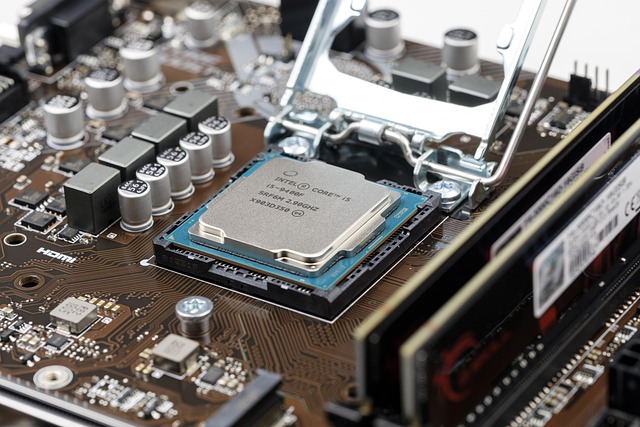
How to enable XMP and AMD EXPO profiles in your BIOS
Out of the box, memory sticks default to conservative base JEDEC speeds (such as 2133MHz for DDR4 or 4800MHz for DDR5). To achieve the higher speed printed on the box, you must activate the factory profile in your motherboard BIOS.
Follow these steps to unlock full advertised memory speeds:
- Reboot your computer and repeatedly press the Delete or F2 key during startup to enter the motherboard BIOS/UEFI screen.
- Locate the primary memory overclocking menu, usually labeled Overclocking, OC Mode, or Ai Overclock Tuner.
- Find the memory profile setting. Select Intel XMP (Extreme Memory Profile) on Intel systems or AMD EXPO (Extended Profiles for Overclocking) on AMD systems.
- Select Profile 1 (or EXPO I), which automatically configures the correct operating frequency, primary timings, secondary sub-timings, and DRAM voltage.
- Press F10 to Save your settings and exit the BIOS. Your PC will restart with high-speed memory active.
If your system fails to boot or encounters memory errors after turning on XMP or EXPO, flash your motherboard to the newest BIOS version to update memory training code and processor compatibility.
Which RAM kits offer the best performance for different budgets?
Selecting memory depends on platform requirements, physical cooler clearances, and budget considerations.
High-End DDR5 Performance Kits
For top-tier builds, kits offering 6000MHz to 7200MHz with tight CL30 to CL34 timings deliver maximum frame rates. The G.Skill Trident Z5 Neo / RGB (6000MHz CL30) is optimized for AMD AM5 systems, utilizing high-grade SK Hynix memory ICs for exceptional stability. The Corsair Vengeance DDR5 and Kingston Fury Renegade offer superior high-frequency performance for Intel platforms aiming for 6800MHz to 7200MHz speeds.
Mid-Range and Value DDR5 Kits
If you want top-tier speed without paying extra for RGB illumination, 6000MHz CL30 or CL36 value kits offer ideal cost efficiency. The G.Skill Ripjaws S5 and TeamGroup T-Force Delta DDR5 provide excellent thermal heat spreaders and low-profile dimensions that fit underneath large CPU air coolers. Shopping for hardware bundles and system builder savings can further lower the total cost of a DDR5 platform upgrade.
Budget DDR4 Memory Kits
For budget-conscious builders or existing system upgrades, DDR4-3600 CL18 and DDR4-3200 CL16 kits offer great value. The Corsair Vengeance LPX 32GB (2x16GB) kit remains a top choice due to its ultra-low height clearance. The G.Skill Ripjaws V series offers reliable performance for budget AMD AM4 or Intel LGA1700 builds.
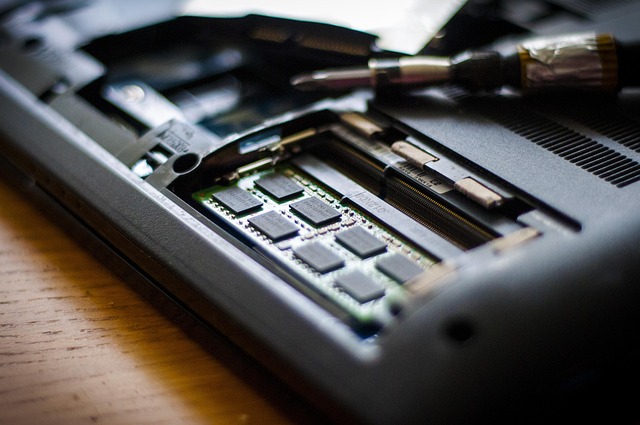
Common mistakes to avoid when buying gaming memory
Avoiding common setup errors ensures you get full performance from your hardware investment when building a custom Gaming computer.
- Installing a single memory stick: Running a single 16GB module restricts memory to single-channel mode, halving available memory bandwidth. Always use a dual-channel configuration (two matched modules) to allow the CPU to read and write across two 64-bit channels simultaneously.
- Mixing distinct RAM kits: Combining memory modules from different packs—even if they share identical speeds and brands—can lead to stability issues. Manufacturers change internal silicon suppliers without notice, causing timing mismatches under XMP or EXPO profiles. Always buy your memory as a complete, factory-matched kit.
- Populating four slots on DDR5 motherboards: Filling all four DIMM slots on a DDR5 motherboard creates heavy electrical loading on the integrated memory controller. This often forces the system to drop speeds from 6000MHz down to 4400MHz to remain stable. If you need 32GB or 64GB of DDR5 memory, always opt for a 2-stick kit rather than 4 sticks.
- Ignoring air cooler clearance: High-profile memory modules with tall decorative RGB heat spreaders can obstruct dual-tower CPU air coolers. Measure cooler clearance or opt for low-profile memory sticks if using air cooling.
- Slot placement errors: On motherboards with four memory slots, install your two sticks into slots 2 and 4 (counting outward from the CPU socket). Installing modules in slots 1 and 3 breaks optimal trace routing and can prevent high-speed profile stability.
Real-world gaming impact: How RAM affects FPS and frame times
Memory choice impacts gaming performance differently depending on system bottlenecks and target resolution.
In GPU-bound scenarios (such as playing graphics-heavy titles at 4K resolution with ray tracing active), memory speed plays a minor role in overall average frame rates.
However, in CPU-bound scenarios (such as playing competitive shooters at 1080p high refresh rates, or running complex simulation engines like Cyberpunk 2077 and Starfield in crowded cities), memory speed directly impacts performance.
Higher 1% low frame rates mean fewer jarring frame drops during chaotic battle scenes or fast motion across open-world terrain. Ensuring your memory sub-system is fully optimized prevents sudden hitching and stability failures, which can mirror software crashes such as the Exe Bad Challenge Error MW2 Xbox: Fixes & Solutions 2026 issue seen when processing bottlenecks trigger system errors.
Frequently asked questions
Can I mix RAM sticks with different speeds or latencies?
Mixing memory modules with different speeds or timings is not recommended. Your motherboard will automatically downclock all memory to match the slowest installed stick, and profile activation features like XMP or EXPO will frequently fail, causing system instability.
Is 32GB of RAM necessary for gaming, or is 16GB sufficient?
While 16GB remains sufficient for lightweight esports titles and older games, 32GB is the recommended baseline for modern AAA titles. Modern games regularly allocate over 16GB of system RAM, and 32GB prevents performance stutters while running secondary apps like Discord or web browsers in the background.
What is the optimal DDR5 RAM speed for AMD Ryzen 7000 and 9000 processors?
DDR5 running at 6000MHz with CL30 latency is the sweet spot for AMD AM5 processors. This speed matches the internal memory controller clock (UCLK) in a 1:1 ratio, providing maximum performance without incurring latency penalties from asynchronous ratio switching.
Does RAM latency matter more than raw transfer speed for gaming?
Both memory transfer speed and latency are equally critical because overall responsiveness depends on true nanosecond delay.
For foundational computer memory standards and architectural definitions, standard reference benchmarks documented by authoritative computer engineering archives like Britannica provide additional background on hardware development.