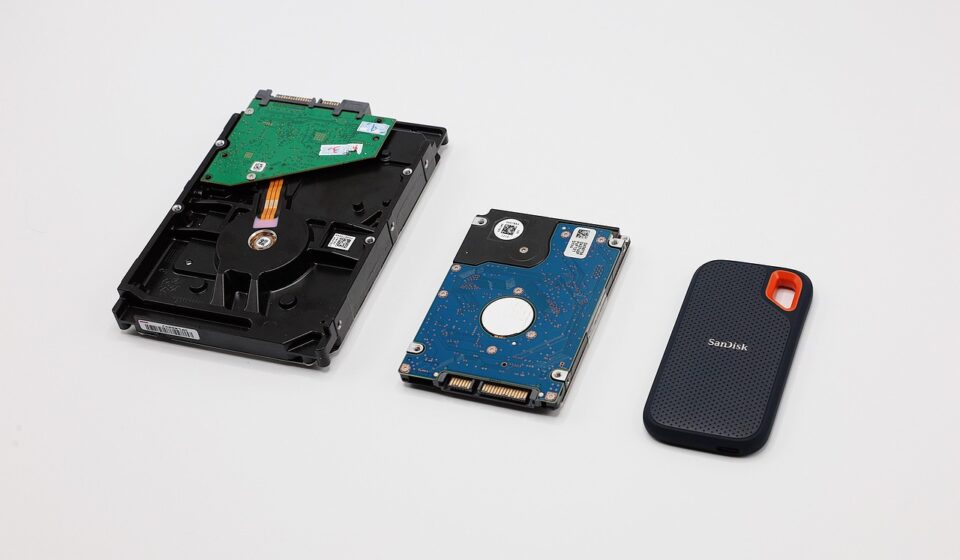
NGFF M.2 SSDs connect directly to the CPU via PCIe lanes, allowing NVMe models to achieve sequential read and write speeds multiple times faster than traditional SATA drives. By taking full advantage of modern PCIe bandwidth, these compact drives significantly accelerate booting operating systems, loading applications, transferring massive files, and playing demanding games.
This guide explains the key differences between M.2 SATA and NVMe protocols, as well as physical form factors like 2280 and connector keying types. It also compares NGFF M.2 to older mSATA standards, details real-world performance benefits, and covers how to select a compatible drive for your motherboard.
Understanding the Protocols: SATA vs. NVMe on M.2
One of the most common points of confusion with NGFF M.2 is that the M.2 slot itself is just a physical connector and form factor. It can host different types of storage drives, primarily distinguished by their underlying communication protocol: SATA and NVMe.
M.2 SATA SSDs: These drives use the M.2 connector but still communicate using the older SATA III protocol. They offer the same theoretical maximum speed as 2.5-inch SATA SSDs, around 550 MB/s. While faster than traditional HDDs, they don’t exploit the full potential of the M.2 slot. They are generally more affordable and backward-compatible with older systems that might have M.2 slots but don’t support NVMe.
M.2 NVMe SSDs: These are the performance kings. NVMe (Non-Volatile Memory Express) is a protocol specifically designed for flash storage, communicating directly with the CPU via the high-speed PCIe bus. As of 2026, PCIe 4.0 NVMe drives commonly offer speeds between 5,000 MB/s and 7,000 MB/s, while the latest PCIe 5.0 drives can push past 12,000 MB/s. This protocol is what makes M.2 drives so incredibly fast for demanding workloads.
Decoding M.2 Form Factors and Keying
Beyond protocols, M.2 drives and slots come in various physical sizes and ‘keying’ arrangements. This is crucial for ensuring compatibility between your motherboard and the SSD you intend to purchase. Understanding these specifications prevents frustrating installation issues.

Form Factors (Length and Width): M.2 drives are identified by a four- or five-digit number, where the first two digits indicate width in millimeters, and the last two or three indicate length in millimeters. The most common form factor for SSDs is 2280 (22mm wide, 80mm long). Other sizes include 2242, 2260, 22110, and some less common ones. Your motherboard’s M.2 slot will specify which lengths it supports.
Keying: This refers to the notch or notches on the connector edge of the M.2 drive and the corresponding key(s) in the M.2 slot on the motherboard. The keying dictates what type of interface the drive and slot can support. The most common keys are:
- M Key: Supports PCIe x4 (NVMe) and SATA protocols. Typically found on high-performance NVMe SSDs and motherboards designed for them.
- B Key: Supports SATA and PCIe x2 (a slower version of PCIe). Less common for high-end SSDs, sometimes found on older or specific types of M.2 devices.
- B+M Key: Supports both SATA and PCIe x2. Found on many M.2 SATA SSDs and some older M.2 NVMe SSDs. These are more versatile but might not always achieve the maximum theoretical speeds of a dedicated M Key slot.
It’s vital to check your motherboard manual or specifications to determine which keying and form factors its M.2 slots support. An M-keyed slot can typically accommodate an M-keyed or B+M keyed drive (though a B+M drive might be limited in speed), but a B-keyed slot can’t accommodate an M-keyed NVMe drive.
NGFF M.2 vs. Older Standards: A Performance Comparison
To truly appreciate the benefits of NGFF M.2, it’s helpful to compare it against the standards it has largely replaced: mSATA and 2.5-inch SATA SSDs.
mSATA (Mini-SATA): This was an earlier attempt to miniaturize SATA drives, often found in laptops and small-form-factor PCs before M.2 became dominant. mSATA drives used the SATA III interface, limiting their sequential speeds to about 550 MB/s. They were physically smaller than 2.5-inch drives but still connected via the SATA bus, bottlenecking their potential.
2.5-inch SATA SSDs: These are the familiar rectangular SSDs that largely replaced traditional hard drives in many systems. They also use the SATA III interface, capping out around 550 MB/s. While a massive upgrade from HDDs, they are physically larger than M.2 drives and are limited by the SATA protocol’s bandwidth.
NGFF M.2 SSDs (SATA and NVMe):
- M.2 SATA: Offers the same ~550 MB/s speeds as 2.5-inch SATA SSDs but in a much smaller M.2 form factor.
- M.2 NVMe: This is where the magic happens. Using PCIe lanes, these drives offer speeds that are order of magnitudes higher. For example, a PCIe 3.0 x4 NVMe drive can reach up to 3,500 MB/s, a PCIe 4.0 x4 drive up to 7,000 MB/s, and PCIe 5.0 x4 drives in 2026 can exceed 12,000 MB/s.
The adoption of the NVMe protocol over PCIe lanes is the single biggest differentiator, enabling NGFF M.2 SSDs to offer vastly superior performance for applications that can use such high transfer rates.
Real-World Use Cases for NGFF M.2 SSDs
The benefits of NGFF M.2, especially NVMe variants, translate into tangible improvements across various computing tasks. Let’s look at some specific scenarios where these drives shine.
1. Gaming: Load times are critical in modern gaming. NVMe M.2 SSDs drastically cut down the time it takes to load game assets, levels, and textures. This means less waiting and more playing. Some games now use direct storage technologies that can further benefit from the high bandwidth of NVMe drives, as noted by industry observers.
2. Content Creation and Video Editing: Professionals working with high-resolution video (4K, 8K), large image files, or complex 3D rendering projects will see substantial gains. Editing timelines load faster, scrubbing through footage is smoother, and exporting/rendering times are significantly reduced. According to Puget Systems benchmarks in 2026, NVMe SSDs can shave hours off large video project render times.
3. Operating System and Application Performance: Simply booting up your computer becomes remarkably quicker. Applications launch almost instantly, and multitasking feels more fluid as the system can access program files and temporary data with minimal delay. This responsiveness is particularly noticeable when moving from an older HDD or even a SATA SSD.
4. Large File Transfers: If you frequently move large datasets, such as for scientific research, data analysis, or media production, the speed of an NVMe M.2 drive is invaluable. Transferring gigabytes of data can take minutes instead of hours. For instance, transferring a 100GB dataset might take under 10 minutes on a fast PCIe 4.0 NVMe drive, compared to over 30 minutes on a SATA SSD.
Choosing the Right NGFF M.2 SSD in 2026
With various options available, selecting the best NGFF M.2 SSD for your needs requires careful consideration of a few key factors. It’s not just about picking the fastest or cheapest drive.

1. Motherboard Compatibility: This is the absolute first step. Check your motherboard’s manual or specifications page. It will tell you:
- How many M.2 slots it has.
- The supported M.2 slot types (e.g., SATA, NVMe, or both).
- The supported keying (M Key, B Key, B+M Key).
- The supported form factors (2280, 2242, etc.).
- The PCIe generation supported by the M.2 slot (PCIe 3.0, 4.0, 5.0).
Using an NVMe drive in a slot that only supports SATA, or trying to fit a 22110 drive into a 2280 slot, won’t work.
2. Protocol: SATA vs. NVMe: For a new build or a significant upgrade in 2026, an NVMe M.2 SSD is almost always the preferred choice for the primary drive due to its superior speed. SATA M.2 drives are a good option if your motherboard only supports M.2 SATA, or if you’re looking for a more affordable secondary storage solution where extreme speed isn’t critical.
3. PCIe Generation: If your motherboard supports PCIe 4.0 or 5.0, opting for an NVMe SSD that matches or ideally, is one generation behind (e.g., a PCIe 4.0 SSD on a PCIe 5.0 slot), will give you excellent performance. A PCIe 3.0 SSD will work in a PCIe 4.0/5.0 slot, but it will be limited to PCIe 3.0 speeds. Conversely, a PCIe 4.0 SSD in a PCIe 3.0 slot will run at PCIe 3.0 speeds.
4. Capacity: SSD prices have continued to fall. As of June 2026, 1TB NVMe drives are very common and affordably priced, often around $50-$100 depending on the model and brand. 2TB drives are also becoming more mainstream. Consider your typical usage: 500GB might suffice for a basic OS drive, but 1TB or more is recommended for gaming, media, or large applications.
5. Brand and Endurance (TBW): Reputable brands like Samsung, Crucial, Western Digital, Kingston, and Sabrent generally offer reliable drives with good performance. Look at the Terabytes Written (TBW) rating, which indicates the drive’s endurance – how much data it can be written to it before it’s expected to degrade. For most typical users, the TBW rating on modern SSDs is more than sufficient for many years of use.
Potential Downsides and Considerations
While NGFF M.2 SSDs offer many advantages, there are a few points to keep in mind:
1. Heat: High-performance NVMe M.2 SSDs, especially PCIe 4.0 and 5.0 models, can generate significant heat under heavy load. This heat can lead to thermal throttling, where the drive slows itself down to prevent damage. Many motherboards now come with M.2 heatsinks, and it’s often advisable to use one, particularly for sustained high-speed operations like large file transfers or intensive gaming sessions.
2. Compatibility Quirks: As mentioned, keying and slot support are paramount. Also, some older laptops or desktops with M.2 slots might only support M.2 SATA drives, not NVMe, even if the M.2 slot physically fits an NVMe drive. Always consult your system’s documentation.
3. Cost: While prices have dropped significantly, high-capacity, top-tier NVMe M.2 SSDs can still be more expensive than their SATA counterparts or older storage solutions. However, the performance uplift often justifies the investment for those who need it.
4. Installation Complexity: While generally straightforward, installing an M.2 drive requires handling small components. Ensure you are comfortable working inside a computer or seek assistance. Static discharge precautions are always recommended when handling PC components.
Common Mistakes When Buying M.2 SSDs
To help you avoid common pitfalls, here are a few mistakes people often make when purchasing NGFF M.2 SSDs:
Mistake 1: Not checking motherboard compatibility. This is the most frequent error. Users buy a blazing-fast PCIe 4.0 or 5.0 NVMe SSD only to find their motherboard only has an M.2 SATA slot, or an M-Key slot that’s wired for PCIe 3.0 speeds. Always verify your motherboard’s M.2 support list.
Mistake 2: Buying the cheapest option without checking reviews. While budget is a factor, extremely cheap M.2 SSDs from unknown brands might compromise on performance, reliability, or endurance. Stick to reputable manufacturers and check professional reviews for real-world performance data.
Mistake 3: Forgetting about heatsinks. If you plan on using your M.2 SSD for demanding tasks, assuming your motherboard has adequate cooling might be a mistake. Look for drives that come with a heatsink or ensure your motherboard provides one. For example, a 12,000 MB/s PCIe 5.0 drive can easily overheat without proper thermal management.
Mistake 4: Confusing M.2 SATA and M.2 NVMe. They use the same physical connector but have vastly different performance characteristics. Ensure you’re buying the protocol that your motherboard supports and that aligns with your performance needs.
Tips for Maximizing M.2 SSD Performance
Once you’ve installed your new NGFF M.2 SSD, here are a few tips to ensure you’re getting the most out of it:
1. Ensure NVMe Driver Installation: For NVMe SSDs, ensure you have the latest NVMe drivers installed for your operating system. While Windows 10 and 11 usually handle this automatically, manufacturers often provide optimized drivers that can offer marginal performance improvements.
2. Enable TRIM: TRIM is an essential command that tells the SSD which data blocks are no longer in use and can be wiped. This helps maintain performance and longevity. Modern operating systems generally enable TRIM automatically for SSDs, but it’s worth verifying.
3. Optimize OS Settings: Configure your operating system for SSD usage. This includes disabling features like disk defragmentation (which is unnecessary and harmful for SSDs) and ensuring that fast startup features are enabled if applicable.
4. Use the Correct Slot: If your motherboard has multiple M.2 slots, consult your manual to identify which slot offers the fastest connection (e.g., direct CPU lanes, highest PCIe generation). Often, the primary M.2 slot closest to the CPU will offer the best performance.
5. Monitor Temperatures: Use monitoring software to keep an eye on your M.2 SSD’s temperature, especially during intensive tasks. If it consistently runs hot (above 70°C), consider adding or improving its heatsink solution.
Frequently Asked Questions
What is the difference between M.2 SATA and M.2 NVMe?
M.2 SATA drives use the M.2 connector but communicate via the older SATA III protocol, maxing out around 550 MB/s. M.2 NVMe drives use the M.2 connector and communicate directly with the CPU via high-speed PCIe lanes, offering significantly faster speeds, often exceeding 7,000 MB/s for PCIe 4.0 and over 12,000 MB/s for PCIe 5.0 as of 2026.
Can I put an NVMe M.2 SSD in any M.2 slot?
No, not all M.2 slots support NVMe. Some M.2 slots are designed only for M.2 SATA drives. You must check your motherboard’s specifications to confirm if the M.2 slot supports the NVMe protocol and has the correct keying (usually M Key).
What are the common M.2 SSD sizes?
The most common size for M.2 SSDs is 2280, meaning 22mm wide and 80mm long. Other sizes exist, such as 2242, 2260, and 22110, but 2280 is standard for most consumer desktops and laptops. Always verify your system’s supported size.
Is M.2 NGFF faster than regular SSDs?
Yes, M.2 NGFF SSDs, particularly those using the NVMe protocol, are significantly faster than traditional 2.5-inch SATA SSDs and hard disk drives. This is due to their direct connection to the CPU via PCIe lanes, enabling much higher data transfer rates.
Do I need a heatsink for my M.2 NVMe SSD?
High-performance NVMe SSDs, especially PCIe 4.0 and 5.0 models, can generate considerable heat. While many motherboards include M.2 heatsinks, it’s often recommended to use one to prevent thermal throttling and maintain peak performance during sustained heavy use.
How do I know if my laptop supports an M.2 SSD?
Check your laptop’s user manual or the manufacturer’s support website for its specifications. Look for mentions of M.2 slots and whether they support SATA, NVMe, or both protocols. Some older laptops might only support M.2 SATA.
Conclusion: Embrace the Speed of NGFF M.2
As of June 2026, NGFF M.2 represents the pinnacle of consumer-grade internal storage technology, offering unparalleled speed and a compact form factor. Whether you’re a gamer seeking faster load times, a creative professional demanding swift file transfers, or simply someone who wants a snappier, more responsive computer, upgrading to an NVMe M.2 SSD is one of the most impactful hardware improvements you can make. By understanding the differences between SATA and NVMe protocols, checking your system’s compatibility, and choosing a reputable drive, you can unlock a new level of computing performance. Don’t let outdated storage hold you back; embrace the speed and efficiency of NGFF M.2.
Source: Britannica