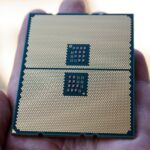
In the 9800X3D vs 9950X3D comparison, the Ryzen 7 9800X3D is the better choice for pure gaming due to its single-CCD 8-core design, lower heat output, and $499 price tag. The Ryzen 9 9950X3D ($699) adds 8 non-cached cores for 16 total cores, making it superior for heavy multi-threaded productivity like 3D rendering and video editing.
How do the Ryzen 7 9800X3D and Ryzen 9 9950X3D compare on paper?
Comparing hardware specifications of the AMD Ryzen 7 9800X3D and Ryzen 9 9950X3D highlights how AMD separates its dedicated gaming flagship from its dual-purpose workstation processor.
| Specification | AMD Ryzen 7 9800X3D | AMD Ryzen 9 9950X3D |
|---|---|---|
| Cores / Threads | 8 Cores / 16 Threads | 16 Cores / 32 Threads |
| CCD Layout | 1 Core Complex Die (8 Cores) | 2 Core Complex Dies (8 Cores per CCD) |
| Total L3 Cache | 96MB (32MB standard + 64MB 3D V-Cache) | 128MB (96MB on CCD0, 32MB on CCD1) |
| Base Clock | 4.7 GHz | 4.3 GHz |
| Max Boost Clock | Up to 5.2 GHz | Up to 5.7 GHz (CCD1) / 5.2 GHz (CCD0) |
| Thermal Design Power (TDP) | 120W | 170W |
| Peak Power Draw (PPT) | ~162W | ~230W |
| Socket Platform | AM5 (DDR5 / PCIe 5.0) | AM5 (DDR5 / PCIe 5.0) |
| Retail Price | $499 USD | $699 USD |
How does 3D V-Cache architecture differ between single and dual CCDs?
3D V-Cache technology stacks 64MB of SRAM directly onto AMD’s Core Complex Die (CCD) using direct silicon bonding. This drastically increases the L3 cache available to the processing cores, reducing reliance on slower main system RAM (DDR5).
On the Ryzen 7 9800X3D, all eight CPU cores reside on a single CCD. This single-die design gives every core direct, uniform access to the entire 96MB L3 cache pool with ultra-low access latency (around 12 nanoseconds). There is zero requirement for data to cross interconnect buses between core complexes.
The Ryzen 9 9950X3D uses a split dual-CCD design. CCD0 contains 8 cores with 3D V-Cache (64MB stacked + 32MB standard for 96MB L3 cache) boosting up to 5.2 GHz. CCD1 contains 8 standard cores without stacked cache but tuned for higher single-core frequencies up to 5.7 GHz with 32MB L3 cache.
While this dual-CCD design provides 16 physical cores, cross-CCD communication over AMD’s Infinity Fabric adds latency (30 to 45 nanoseconds) whenever a task running on CCD1 attempts to access memory on CCD0. According to TechSpot’s analysis, this architectural difference is why having double the cores does not equate to higher gaming frame rates.
Which CPU delivers better real-world gaming performance?
In modern PC gaming, high frame rates and smooth frame pacing rely on rapid cache access rather than extreme core counts. Games calculate character physics, game logic, and particle effects in rapid succession, triggering frequent memory requests that bottleneck standard processors.
Because the 9800X3D keeps all eight cores on one die backed by 96MB of low-latency cache, game engine instructions run without interruption.Microsoft Flight Simulator, Baldur’s Gate 3, and Assetto Corsa Competizione.
When measuring frame rates across title suites, the 9800x3D is a gaming chip that routinely matches or exceeds the 9950X3D in 1080p and 1440p gaming tests. At 4K display resolution, where performance becomes bottlenecked by graphics hardware like the Nvidia RTX 4090, both CPUs perform identically.

How much faster is the 9950X3D in heavy productivity and rendering?
While gaming software rarely scales effectively beyond eight physical cores, workstation applications heavily favor high core count execution. The Ryzen 9 9950X3D offers double the physical cores and thread execution capability (16 cores and 32 threads versus 8 cores and 16 threads).
Its non-cached CCD boosting up to 5.7 GHz also delivers faster single-core performance in frequency-bound tasks like CAD drafting and vector design.
For power users who maintain heavy background operations—such as live streaming with high-bitrate software x264 encoding, executing local AI models, hosting Docker containers, or running multiple virtual machines simultaneously while gaming—the 9950X3D provides necessary compute headroom without affecting gameplay smooth frame rates.
What cooling, motherboards, and memory are required?
Power draw and thermal output require different cooling setups and platform component choices for these two AM5 processors.
The Ryzen 7 9800X3D features a 120W TDP, drawing roughly 85W to 110W under typical gaming loads. AMD placed the 3D V-Cache layer underneath the core die on Zen 5 X3D chips, putting the main silicon closer to the copper heat spreader. As a result, a quality dual-tower air cooler or standard 240mm liquid radiator provides sufficient thermal control.
The Ryzen 9 9950X3D carries a 170W TDP and reaches up to 230W Package Power Tracking under full multi-core load. Sustaining maximum clock speeds across all 16 cores during long rendering tasks requires liquid cooling with a 280mm or 360mm radiator to keep thermals below throttling limits.

Motherboard power delivery requirements vary by model selection:
- For the Ryzen 7 9800X3D: A solid mid-range B650 or B650E motherboard featuring an 8+2+1 power phase VRM handles full load current safely without component overheating.
- For the Ryzen 9 9950X3D: An X670E or X870E motherboard with a 16+2+2 power phase VRM and 8-layer PCB construction ensures stable power delivery during sustained multi-core workloads. Quality motherboard power solutions prevent power delivery throttling under heavy multi-threaded stress.
For system RAM on both CPUs, the optimal memory configuration is a dual-channel 32GB or 64GB DDR5-6000 memory kit rated at CL30 timings. Enabling AMD EXPO in BIOS sets the memory controller clock (UCLK) to a 1:1 ratio with the fabric clock (FCLK) at 2000 MHz for low system latency.
What common problems affect these CPUs and how do you fix them?
Building high-end AM5 desktop systems can sometimes run into setup issues. Here are common problems encountered on 9800X3D and 9950X3D configurations along with step-by-step fixes:
1. Games running on the wrong CCD on the Ryzen 9 9950X3D
If Windows assigns game tasks to CCD1 (the 5.7 GHz non-cache die) rather than CCD0 (the 3D V-Cache die), frame pacing suffers and micro-stutter occurs in games.
- Flash your motherboard BIOS to the latest version featuring current AGESA microcode updates.
- Install the official AMD Chipset Driver package, making sure the 3D V-Cache Performance Optimizer Service installs properly.
- Enable Windows Game Mode in Windows 11 settings, and update Xbox Game Bar via the Microsoft Store so Windows automatically parks CCD1 when launching verified games.
2. Long boot times or DRAM debug lights on motherboard startup
AM5 motherboards perform thorough memory training routines on startup, leading to 45-to-90-second boot delays when DDR5 EXPO profiles are engaged.
- Enter your BIOS settings menu after confirming memory stability at DDR5-6000 speeds.
- Locate Memory Context Restore and set it to Enabled.
- Locate Power Down Mode under DRAM settings and set it to Enabled, which saves memory training values to CMOS to drop startup times under 15 seconds.
3. Elevated peak temperatures during multi-core stress testing
Zen 5 processors dynamically boost core voltage and clock speeds until reaching high thermal thresholds (typically 89°C to 95°C under heavy torture tests), causing CPU cooling fans to ramp aggressively.
- Enter BIOS and open the Precision Boost Overdrive (PBO) menu under AMD Overclocking settings.
- Change Curve Optimizer mode to Negative.
- Apply an all-core negative offset value starting between -10 and -20.
- This undervolts core operations, dropping CPU core temperatures by 5°C to 10°C while maintaining higher boost clock frequencies.
Pricing and total platform cost: Which processor offers better ROI?
Retail pricing places the Ryzen 7 9800X3D around $499 USD, while the Ryzen 9 9950X3D sits at $699 USD. Choosing between them requires assessing total PC build budgets.

For gaming builds, saving $200 on the CPU allows putting those funds toward a higher-tier GPU (such as moving from an RTX 4070 Ti Super to an RTX 4080 Super) or expanding high-speed NVMe storage capacity. Because GPU speed dictates frame rate ceilings at 1440p and 4K, the 9800X3D offers a higher return on investment for pure gaming systems.
For creators earning income from video rendering or software development, time savings provide direct returns. A worker completing frequent 3D renders or video exports recovers the $200 price difference within a few weeks of daily productivity. Full platform specifications can be reviewed on official AMD Ryzen 9 9950X3D hardware pages.
Who should buy the 9800X3D vs the 9950X3D?
Choose the Ryzen 7 9800X3D if:
- Your primary priority is PC gaming, competitive esports, or simulation titles.
- You want maximum gaming performance without managing dual-CCD core parking drivers.
- You prefer air cooling or standard 240mm liquid cooling loops over heavy 360mm radiator builds.
- You want to pair your processor with a mid-range B650 motherboard to keep overall system costs down.
Choose the Ryzen 9 9950X3D if:
- You build a dual-purpose workstation for 3D modeling, 4K video editing, code compiling, or running virtual machine clusters.
- You stream high-bitrate video using CPU encoding while playing heavy games on a single PC.
- Your budget accommodates a high-end X670E or X870E motherboard along with a 360mm liquid CPU cooler.
- You need uncompromising multi-core productivity performance without sacrificing top-tier gaming frame rates.
Who should NOT buy either processor?
- Budget gamers: If you play games at 1440p or 4K with mid-range graphics cards, standard processors like the Ryzen 5 7600X or Ryzen 7 7700X deliver high performance for half the cost, letting you allocate more budget to your GPU.
- Workstation users who do not game: If you render 3D scenes or compile code continuously and never play games, non-3D processors like the standard Ryzen 9 9950X offer higher all-core clock speeds without the price markup of 3D V-Cache hardware.
Frequently asked questions
Is the Ryzen 9 9950X3D overkill for gaming?
For most pure gaming builds, yes. The Ryzen 7 9800X3D matches or beats the 9950X3D in frame rates while costing $200 less and consuming less power under gaming loads.
Can the Ryzen 7 9800X3D handle productivity tasks effectively?
Yes, its 8 cores and 16 threads easily handle daily office tasks, web browsing, photo editing, and light 4K video editing. However, for heavy multi-core tasks like continuous 3D rendering or software compiling, it takes roughly twice as long as the 16-core 9950X3D.
What is the main advantage of the 9950X3D over the 9800X3D?
The main advantage is its 16 physical cores and 32 threads split across two CCDs, providing massive multi-threaded processing power for heavy creative applications while maintaining 3D V-Cache gaming speed on its primary die.
How does the L3 cache difference impact gaming performance?
The 9800X3D places its 96MB L3 cache across a single 8-core die, eliminating cross-die latency penalties. The 9950X3D splits its cache across two dies, requiring driver scheduling to ensure games run exclusively on the cached die for maximum frame rates.
Which CPU is more power-efficient?
The Ryzen 7 9800X3D is significantly more power-efficient, drawing roughly 85W to 110W under gaming load compared to the Ryzen 9 9950X3D, which can draw up to 230W under full multi-core rendering workloads.