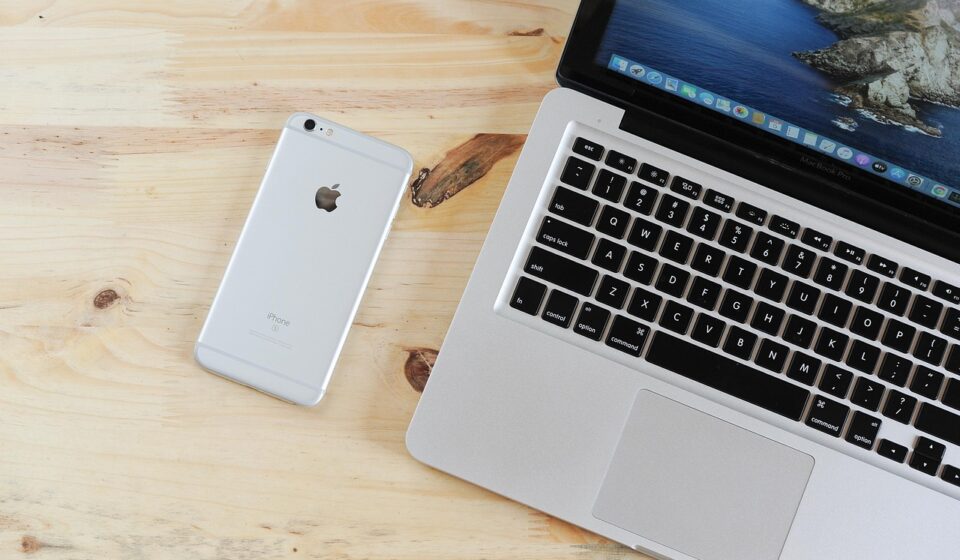
You cannot directly convert a Windows executable (.exe) into a native Android package (.apk) because the two operating systems use completely different CPU architectures and system APIs. To run a Windows program on Android, you must use a Windows emulation environment like Winlator, Box64, or Limbo PC Emulator, or connect via remote desktop.
Why direct EXE to APK conversion is technically impossible
An .exe file is a self-executing application binary compiled specifically for x86 or x64 desktop processors running the Windows operating system. Windows applications depend heavily on the Win32 API, system registry entries, dynamic-link libraries (DLLs), and hardware drivers designed for desktop graphics cards and processors. Android, on the other hand, runs on ARM-based mobile chips using the Linux kernel and executes code through the Android Runtime (ART) virtual machine.
Having a thorough understanding of file formats explains why simply changing a file extension or running automated file conversion tools cannot work. Automated conversion software cannot automatically rewrite machine code compiled for x86 chips into ARM-compatible Android bytecode. Converting Windows software into a native Android app requires access to the program’s original source code, followed by complete recompilation and redesign of the user interface to support mobile touch controls.
The reality of online EXE to APK converter tools
Dozens of websites and software utilities online advertise one-click EXE to APK conversion services. Web platforms like Jedok.com and websim.com are frequently visited by users looking for transformation tools, but automated conversion of binary desktop software into native mobile applications is technically impossible through simple web scripts.
When these tools generate a downloadable file, they typically produce one of three outcomes: an empty package that fails to launch, an emulator wrapper bundled with basic software, or a dangerous file disguised as your original program. According to Techworm.net, while some conversion tools claim high success rates, extreme caution is necessary because many unverified software converters bundle adware, spyware, or trojans into generated packages.

Working methods to run Windows software on Android
If you need to run desktop software on your smartphone or tablet, several legitimate technical solutions exist that bypass the limitations of direct file conversion.
1. Windows translation layers and emulators
Modern translation containers allow ARM-based mobile devices to execute x86 Windows software in real time. Tools such as Winlator and Box64 translate Windows API calls and x86 instructions into native Linux commands. Backend compatibility frameworks like Wine (Wine Is Not an Emulator) process program instructions directly (see The Ultimate Latte Machine Guide: Brew Like a Pro at Home for device hardware specs). According to Wine HQ, Wine supports thousands of Windows applications, though stability depends on hardware power and GPU support. For older or legacy PC software, tools like Limbo PC Emulator and Bochs x86 provide full virtual machine environments.
2. Remote desktop connections
When dealing with resource-intensive desktop programs like professional CAD suites, full photo editors, or heavy business software, remote desktop streaming is the most reliable option. Apps such as Microsoft Remote Desktop, TeamViewer Host, and Chrome Remote Desktop connect your mobile device directly to an active Windows PC. The desktop handles all compute operations, while your phone acts as a touchscreen display and control interface.
3. Official Android native ports
Before spending time setting up emulation layers, check whether the software developer provides an official mobile version in the Google Play Store. Many major desktop productivity programs—including Microsoft Office applications, Adobe tools, and media players like VLC—have fully optimized Android releases designed for touchscreen use and ARM architecture.
Comparing methods for running Windows software on Android
| Method | Compatibility Rate | Setup Difficulty | Performance | Best For |
|---|---|---|---|---|
| Winlator / Translation Layers | Moderate (Light utilities & games) | Moderate | Medium | Running offline desktop tools directly on mobile |
| Limbo / Bochs Emulators | High (Older x86 software) | High | Low | Legacy Windows utilities and vintage games |
| Remote Desktop Streaming | 100% (Any installed PC software) | Low | High (Requires fast network) | Heavy desktop productivity and enterprise apps |
| Official Android App Ports | 100% (Native mobile support) | Very Low | Excellent | Everyday mobile use with native touch controls |
Step-by-step guide: Running EXE files using mobile emulators
If you want to run lightweight Windows software directly on your mobile device using a translation environment like Winlator or Limbo PC Emulator, follow these steps to configure your container:
- Download a verified emulator package: Obtain an official release of a translation environment like Winlator or Limbo PC Emulator from its official developer repository. Do not download modified APK files from secondary mirrors.
- Transfer your target EXE file: Save the target .exe file or installation folder into your Android device’s main downloads folder. Ensure the program is uncompressed.
- Create and configure a container: Launch your emulator app and create a new environment container. Assign CPU cores (typically 4 to 8 cores) and allocate system RAM (at least 2 GB to 4 GB).
- Configure GPU and rendering drivers: In the container settings, choose your graphics driver. Mobile devices powered by Qualcomm Snapdragon chips perform best with Turnip or DXVK drivers, while Mali or PowerVR chipsets usually require VirGL compatibility modes.
- Run the EXE installer: Start the container, launch the internal file manager, browse to your downloads directory, and open your .exe file to run the installer.
- Set up virtual controls: Open the emulator’s input configuration menu to create on-screen trackpads, physical key mappings, or mouse shortcuts for touchscreen navigation.
Troubleshooting common EXE execution errors on Android
Running desktop applications inside mobile translation environments often produces runtime errors. Learning how to manage these technical issues helps keep your applications running smoothly.
Missing DLL files and runtime dependencies
Windows programs rely heavily on external system libraries like Microsoft Visual C++ Redistributable packages or DirectX components. If an application throws a missing DLL error upon launch, download the required official redistributable installer directly from Microsoft inside your emulator container and run it before opening your application.
Black screens and graphical glitches
Graphical corruption or black screens occur when the emulator’s graphics wrapper cannot translate Direct3D calls into Vulkan or OpenGL ES. Access your container settings and switch your graphics driver between DXVK, WineD3D, and VirGL. Lowering the display resolution inside the container to 1280×720 or 1024×768 often fixes rendering failures.
High thermal output and rapid battery depletion
Translating x86 desktop code on ARM processors requires heavy continuous CPU and GPU usage. This creates significant heat and drains battery power fast. Lower your device’s screen brightness, close unused background applications, and avoid running intensive 3D applications on mid-range hardware.
Unresponsive touchscreen inputs
Desktop software expects precise mouse input rather than mobile touch gestures. If button taps do not register properly, open the emulator menu and toggle from direct touch mode to virtual touchpad mode, or connect an external Bluetooth keyboard and mouse to your phone.
Security risks, device safety, and legal considerations
Safety is the primary concern when attempting to convert or execute desktop files on mobile devices. Maintaining a thorough understanding of mobile security prevents device infection and data loss.
Malware and trojan risks
Downloading pre-converted .apk packages from unknown web portals is a common vector for cyber threats. Malicious actors frequently package spyware, keyloggers, or cryptocurrency miners inside fake transformed files. According to a study by Security Magazine in late 2025, a significant percentage of users who download apps from unofficial sources encounter malware. Always scan any downloaded file with trusted antivirus software prior to installation.
Excessive application permissions
If an APK file or converter app demands sensitive system permissions—such as access to your contacts, SMS logs, microphone, or administrator rights—cancel the installation immediately. Translation utilities and standard software wrappers do not need access to private personal data to execute application code.
Licensing and copyright rules
Converting, modifying, or distributing proprietary desktop software may breach End-User License Agreements (EULAs). Verify that you hold valid software rights before installing proprietary tools in alternative execution environments.
Who should and should not attempt running EXE files on Android
Executing Windows applications on a mobile operating system requires patience, troubleshooting, and appropriate hardware.
This setup works well for:
- Users who need to run lightweight, offline Windows utilities that have no mobile alternatives.
- Tech enthusiasts wanting to experiment with x86 translation layers on mobile hardware.
- Remote workers using remote desktop apps to manage their home or office PCs on the go.
This setup is not suitable for:
- Searchers looking for an automatic, single-click EXE to APK file conversion button.
- Gamers expecting to play demanding, modern 3D PC titles on mobile phones.
- Users with entry-level smartphones featuring limited RAM or budget processors.
Frequently asked questions
What is the easiest way to convert EXE to APK?
Direct conversion does not exist due to operating system differences. The easiest way to access Windows software on Android is through official mobile app ports, remote desktop tools, or emulation software like Winlator.
Can I run any Windows EXE file on Android?
No, you cannot run every Windows file on Android. Complex applications requiring heavy GPU resources, proprietary drivers, or direct Win32 system access will fail to run or crash during emulation.
Are online EXE to APK converters safe to use?
Most online EXE to APK converters are unsafe and ineffective. Many bundle adware, spyware, or trojans into generated packages, so using remote desktop tools or verified open-source emulators is far safer.
What are the risks of converting EXE to APK?
The primary risks include installing malware, exposing personal data through excessive permissions, experiencing severe application instability, and violating software End-User License Agreements.
Is there a free tool to convert EXE to APK?
While web utilities claim to convert files for free, genuine conversion is technically impossible. However, free, open-source emulation software such as Winlator, Limbo PC Emulator, and Bochs x86 can run many EXE files on Android without cost.
How do I install a converted APK on my Android phone?
To install any third-party package, enable installation from unknown sources in your Android security settings. Always scan the file with an updated mobile antivirus tool before opening it.