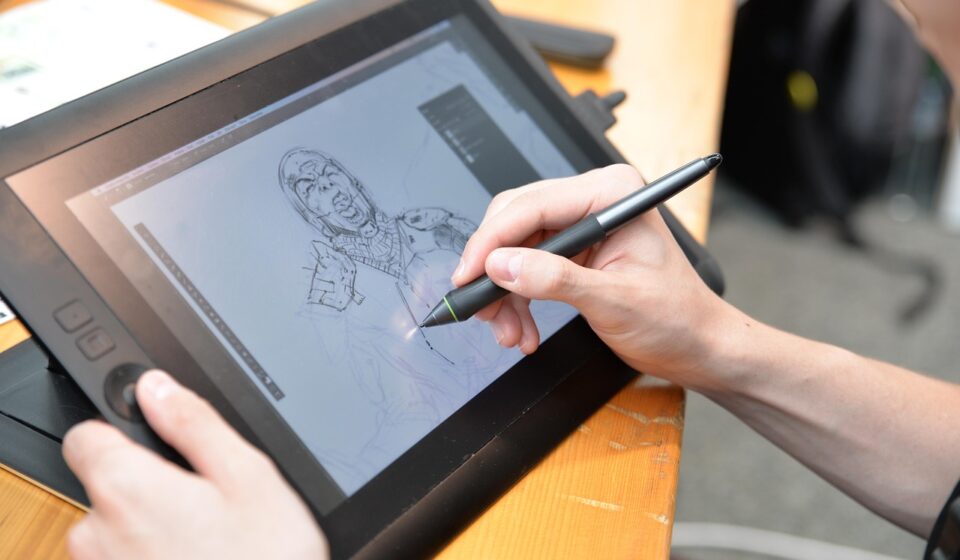
Comic Exe 41 is a specialized digital art software application that combines raster painting and vector illustration tools into a single desktop package. It features real-time AI line smoothing, automated color palette generation, dynamic brush engines, frame-by-frame animation timelines, and a perpetual license model designed for digital illustrators and comic creators.
For artists working on multi-page graphic novels, character concept art, or technical vector line art, version 41 introduces major engine updates aimed at preventing stroke latency and stabilizing heavy canvas files. Understanding how these features operate helps creators customize their drawing environments, assign effective hotkeys, and prevent hardware performance bottlenecks.
How does Comic Exe 41 handle raster and vector graphics?
Unlike pure vector design software or traditional pixel painting applications, Comic Exe 41 bridges both media types inside the same canvas document. Raster layers rely on pixel grids to deliver organic paint mixing, textured chalk strokes, and subtle lighting gradients. Vector layers use mathematical paths, allowing you to scale ink lines up or down without losing sharpness or generating pixel blur.
In practical project design, artists frequently construct initial linework on vector layers and apply shading on raster layers beneath them. Vector ink lines retain editable anchor points, so you can adjust line weight, curvature, or stroke taper after drawing. When applying flat colors, the software automatically recognizes vector path boundaries, preventing color fill leaks without requiring manual raster masking.
The integrated conversion engine converts raster sketches into clean vector line drawings with minimal point density. Conversely, vector objects can be rasterized into standard pixel layers whenever complex blending modes, smudge effects, or paint textures are required. This dual engine gives illustrators full flexibility when shifting from structural sketching to fine detail painting.
What are the core features and updates in Comic Exe 41?
The brush engine in version 41 provides granular control over stroke dynamics, paint depletion, texture overlay, and tilt response. Creators can adjust nib opacity curves based on pen pressure or customize brush tip shapes using custom image files. These tools offer precise control over traditional drawing effects like wet oil, dry watercolor, and dense India ink.
AI line smoothing and color generation
A primary update in Comic Exe 41 is real-time stroke stabilization powered by machine learning algorithms. Instead of applying simple mathematical averaging that slows pen speed, the AI line smoothing routine evaluates hand velocity and corrects unintentional hand tremors while keeping organic line variation intact. This allows artists to execute clean, long ink strokes on high-resolution canvases without experiencing brush lag.
The built-in color palette generator analyzes imported reference images or selected base swatches to extract color palettes based on lighting harmony and contrast balance. If you sample a single hero color, the generator provides complementary, split-complementary, and triad color schemes adjusted specifically for comic printing or sRGB display displays.
Animation timeline and non-destructive editing
Comic Exe 41 includes a built-in animation timeline tailored for frame-by-frame 2D animation and animatics. Features include customizable onion skinning, keyframe interpolation for layer movement, and audio sync track import. Non-destructive adjustment layers allow you to change hue, saturation, levels, and color balance across an entire multi-panel page without altering base artwork layers.
How to set up and optimize Comic Exe 41 for daily work
Setting up your workspace correctly when installing Comic Exe 41 reduces menu searching and speeds up drawing execution. Follow these steps to configure your workspace for peak efficiency:
- Configure drawing tablet drivers: Ensure your tablet driver software is up to date before launching the program. In the software settings, set the tablet input API to WinTab or Windows Ink depending on your tablet manufacturer specifications.
- Customize your primary layout: Drag floating tool palettes to lock them into dock panels. Keep your brush list, layer stack, and color wheel on your dominant hand side, leaving maximum screen space clear for the drawing canvas.
- Map hotkeys and quick menus: Map frequently used commands—such as layer creation, brush resize, canvas flip, and color picker—to dedicated key combinations or tablet hardware express keys.
- Adjust memory allocation: Open the preference panel and set maximum RAM usage between 60% and 75% of total system memory to avoid memory thrashing during large multi-layer operations.
- Set automated backup cycles: Enable auto-save in the file recovery preferences, setting saved snapshot intervals to every 10 or 15 minutes to safeguard against system power failures.
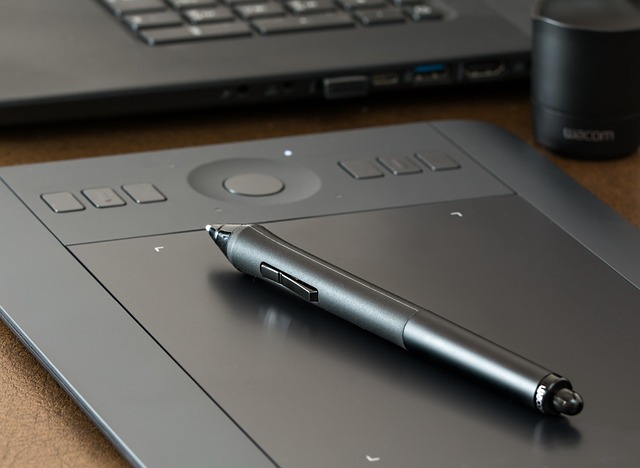
Creating custom shortcut keys and pop-up pie menus reduces screen navigation overhead during long drawing sessions. Setting up layer group templates with pre-named line art, flat color, shadow, and highlight layers speeds up comic page production across multi-chapter projects.
What system specifications are required to run Comic Exe 41?
Working on 600 DPI print-ready comic pages with dozens of raster and vector layers places high demand on desktop processor and memory architecture. Running the software on under-powered hardware can produce input lag, extended file write times, or temporary application freezes.
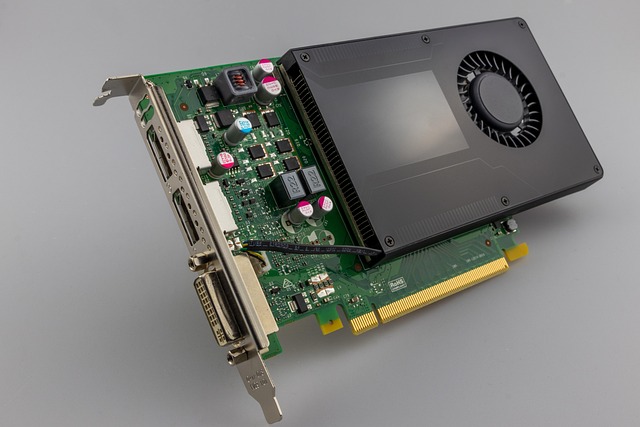
Review the minimum and recommended system hardware targets before running large commercial canvas tasks:
- Operating System: 64-bit Windows 10/11 or macOS 12 (Monterey) or later.
- Processor (CPU): Quad-core Intel Core i5 / AMD Ryzen 5 minimum; 8-core Intel Core i7 / AMD Ryzen 7 recommended.
- System Memory (RAM): 16 GB minimum for standard illustrations; 32 GB or more recommended for high-res multi-page documents and animation sequences.
- Graphics Card (GPU): Dedicated GPU with at least 4 GB VRAM (NVIDIA GeForce GTX 1660 / AMD Radeon RX 580 or better) supporting OpenGL 4.5.
- Storage: Solid State Drive (NVMe SSD) with at least 10 GB available installation space and fast scratch disk allocation.
- Input Devices: Supported pressure-sensitive drawing tablets from brands like Wacom, Huion, and XP-Pen.
How does Comic Exe 41 compare to Photoshop and Clip Studio Paint?
Choosing the right drawing software depends on your primary medium, payment preference, and production demands. The table below compares key features across the three primary software applications used by professional illustrators:
| Feature / Criteria | Comic Exe 41 | Adobe Photoshop | Clip Studio Paint |
|---|---|---|---|
| Primary Focus | Hybrid raster & vector art | Photo editing & raster design | Comic & manga production |
| Licensing Model | Perpetual license (one-time) | Monthly/annual subscription | Perpetual (desktop) / Subscription |
| Vector Toolset | Full vector ink & curve control | Basic path shapes only | Advanced vector line correction |
| AI Line Stabilization | Built-in real-time algorithm | Basic stroke smoothing | Standard stabilization filter |
| Animation Capability | Timeline & onion skinning | Frame animation timeline | Advanced timeline (EX version) |
| Asset Library | Built-in brush & palette tools | Third-party plugin support | Vast community material store |

While Adobe Photoshop remains an industry standard for photo retouching and graphic design, its recurring subscription cost and limited vector drawing tools make it less appealing for pure drawing workflows. Clip Studio Paint offers an extensive library of community 3D models and materials, but Comic Exe 41 delivers tighter integrated vector-raster conversions and an included perpetual license without mandatory cloud subscriptions.
Common Comic Exe 41 technical issues and fixes
Technical glitches can occur when working with high-resolution file formats or custom tablet driver configurations. Here are solutions for common performance and software issues:
Brush stroke lag and input delay
Brush latency usually stems from excessive canvas DPI, overly complex brush tip textures, or GPU acceleration conflicts. To fix brush stroke lag, reduce canvas preview resolution in display preferences, or lower brush tip density settings. Ensure hardware GPU acceleration is enabled under performance settings and update your graphics card drivers.
Unexpected application crashes or freeze on launch
Crashes during launch are often caused by corrupted preferences files or conflicting tablet service processes. Reset program preferences by holding the Shift key while launching Comic Exe 41, then choose to reset configuration files. If the crash persists, clear the application temp folder and restart your tablet driver service in system task manager.
File corruption after sudden system shutdowns
If a power failure or crash occurs while saving, a canvas document may become unreadable. To protect your work, keep auto-recovery snapshots enabled and store project files on a local SSD rather than external cloud-synced drives during active editing sessions. If a file becomes unreadable, look in the software emergency recovery folder located in your user application data directory to retrieve the automatic backup copy.
Who is Comic Exe 41 for (and who should avoid it)?
Comic Exe 41 is ideally suited for:
- Comic book artists and illustrators: Creators who need fast vector line work coupled with rich raster painting tools.
- Independent digital animators: Artists producing 2D hand-drawn animations and animatic storyboards.
- Budget-conscious professionals: Users seeking a perpetual software license rather than paying monthly software subscription fees.
Comic Exe 41 is NOT recommended for:
- Photo retouching specialists: Photographers requiring advanced raw image processing, frequency separation, and complex photographic color grading.
- 3D sculptors and environment renderers: Artists who depend on heavy 3D geometry generation or ray-traced lighting pipelines.
- Mobile-only creators: Users looking for a light mobile drawing app designed exclusively for small smartphone touchscreens.
Frequently asked questions
Is Comic Exe 41 suitable for beginners?
Yes, Comic Exe 41 offers a user-friendly interface and extensive tutorials, making it accessible for beginners. While it possesses advanced features for professionals, its core tools are easy to grasp, facilitating a smooth learning curve.
Does Comic Exe 41 support drawing tablets?
Comic Exe 41 provides support for pressure-sensitive drawing tablets from brands like Wacom, Huion, and XP-Pen, allowing for natural brush strokes and detailed control over your artwork.
Can I import and export files from other programs?
Yes, Comic Exe 41 supports a wide range of import and export formats, including PSD, TIFF, JPG, PNG, and SVG, ensuring compatibility with other design software and workflows.
What are the main advantages of version 41 over previous releases?
Version 41 introduces significant performance boosts, AI-assisted tools for line refinement and color generation, and enhanced UI customization options for a more efficient creative process.
Is Comic Exe 41 a subscription service?
Comic Exe 41 is offered with a perpetual license model, meaning you purchase it once and own it indefinitely, with optional paid upgrades for major future software releases.
Where can I find community support for Comic Exe 41?
The best places for community support are the official Comic Exe forums, dedicated subreddits, and various digital art communities online. Users regularly share custom brushes, troubleshoot technical questions, and share production feedback.